Your phone is in someone else’s hands for 30 seconds. That is enough.
A coworker picks it up to check a text you said you received. Your partner grabs it to look up directions. A border officer asks you to unlock it. A repair technician takes it to the back. Thirty seconds is all it takes for someone to open your gallery, scroll through your photos, read a private note, or find something you never intended to share.
This is not a hypothetical. It happens every day. And the uncomfortable truth is that nothing on a standard smartphone is truly private. Your gallery is one tap away. Your documents are indexed and searchable. Your files sit exposed to anyone who picks up an unlocked device.
A calculator hide app solves this problem in a way no other tool can. It does not just lock your files — it makes them invisible to anyone who does not know exactly where to look.
Why Regular Gallery Apps Fail at Privacy
Most people assume that their phone’s built-in gallery is reasonably private. It is not. The default gallery app on any Android or iOS device is designed for access, not protection. There is no encryption. There is no PIN. There is no barrier between your most personal photos and anyone who holds your unlocked phone.
Beyond the obvious unlock vulnerability, cloud backup services compound the problem. When photos automatically sync to a cloud service, they leave your device and travel through servers you do not control. Your private images are no longer just on your phone.
USB access is another overlooked gap. Connect your phone to a computer and your photos are often accessible through a file explorer without any additional authentication. This is true even on locked devices in certain configurations.
App permissions make things worse. Dozens of apps on your phone may have access to your photo library. Every one of those apps is a potential exposure point. A poorly secured app or a compromised developer account can expose your files without you ever knowing.
The gallery app was built for convenience. Convenience and privacy are in conflict. If you are relying on your default gallery to protect sensitive content, you are relying on nothing. Read more in our post on whether your gallery app is actually private.
Why Standard Vault Apps Are Also a Problem
When people realize their gallery is not private, many turn to a vault app. The instinct is right. The execution is often wrong.
Standard vault apps have a critical design flaw: they look exactly like what they are. An app called “Photo Vault” or “Private Locker” sitting on your home screen announces to anyone who sees it that you are hiding something. A partner who is already suspicious will go straight to that icon. A device inspector will open it immediately. The disguise is nonexistent because there is no disguise at all.
Some vault apps attempt to hide themselves with a custom name or icon. But the app listing in your settings and the permissions it has requested still identify its true purpose. Anyone who knows where to look will find it.
Beyond the visibility problem, many standard vault apps have weak security foundations. Some store files in unencrypted directories. Others use encryption schemes that have never been audited. The appearance of security is not the same as actual security.
There is also the coercion scenario. If someone demands you open your vault app, the contents are immediately exposed. The vault is the vault and everyone knows it. There is no plausible alternative to offer.
This is why a calculator hide app takes a fundamentally different approach. The goal is not just to lock your files — it is to make the existence of a vault undetectable. Learn more in our breakdown of the dangers of generic vault apps.
What Makes a Calculator Hide App Different
A calculator hide app is a real calculator. That is the entire point.
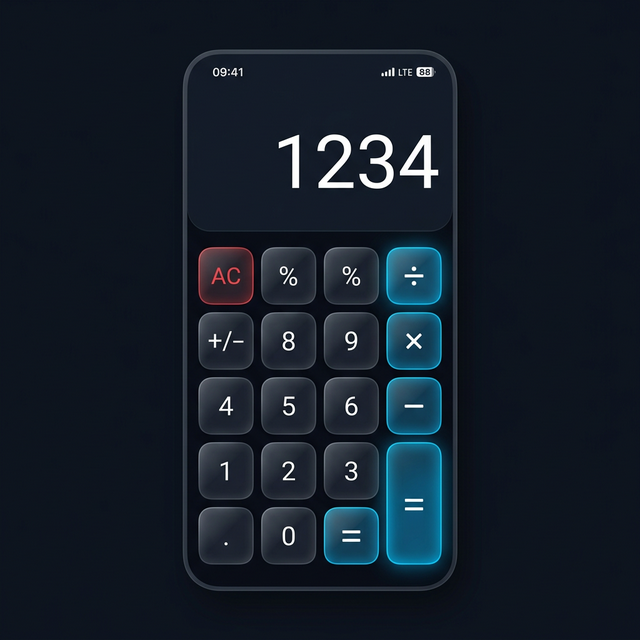
When someone picks up your phone and opens the app, they see a calculator. It performs calculations accurately and looks like every other calculator they have used. There is nothing suspicious about it. There is nothing to investigate. The conversation ends before it begins.
The hidden vault is accessible only by entering a specific PIN sequence into the calculator interface. To an observer, you are doing math. To you, you are unlocking your private storage. The distinction is invisible from the outside.
Calculators are one of the most commonly installed utility apps on any phone. No one questions why you have one. No one asks to see inside it. That is the entire strategic advantage.
The functional disguise also changes the dynamic in coercion scenarios. If someone demands you show them your vault, you can demonstrate that the app is a calculator and perform calculations. The vault stays hidden. This protection does not exist with a labeled vault app.
Our post on how vault apps work explains the full technical architecture behind the scenes.
Five Scenarios Where a Calculator Hide App Is Essential
Shared Devices
Many people share phones with family members, roommates, or partners. Even in trusting relationships, there is content that is meant to be private. Medical information. Financial documents. Personal photos. Sharing a device does not mean forfeiting the right to a private space within it. A calculator hide app provides that space without creating friction or suspicion.
Device Theft
When a phone is stolen, the thief’s first move is often the gallery and personal files. A phone PIN can be bypassed through various methods, and once the device is unlocked, everything is exposed. Files stored inside a calculator hide app remain encrypted and inaccessible even if the rest of the device is compromised.
Border Crossings and Device Inspections
Device searches at border crossings are lawful in many jurisdictions without a warrant. Officers can scroll through photo libraries, read messages, and copy files. Travelers carrying sensitive materials have a legitimate interest in keeping that content private. A calculator hide app provides a layer of protection that a standard gallery cannot.
Relationship Snooping
Not every threat comes from strangers. Controlling partners, intrusive family members, and curious coworkers are all real scenarios. The person most likely to go through your phone is often someone you know. A calculator hide app does not require you to confront or explain. The content is simply not where anyone would think to look.
Device Repair Shops
When you hand your phone to a repair technician, you are giving a stranger access to your unlocked device. Reputable shops have policies against accessing personal data, but policies are not guarantees. Content inside an encrypted vault is not accessible to a technician browsing your files.
Who Specifically Needs a Calculator Hide App
Privacy is not only for people with something to hide. Privacy is a right, and a calculator hide app is a practical tool for exercising it.
Privacy-conscious individuals benefit immediately. Keeping a portion of your digital life architecturally hidden — not just password-protected — has value on its own terms.
Professionals carrying sensitive work materials on personal devices have a clear practical need. Client photos, proprietary documents, and financial records benefit from storage that is both encrypted and discreet.
Travelers crossing borders frequently need tools that match the actual threat environment. A standard gallery is not a match for a device search with no warrant required.
People navigating difficult personal situations — controlling relationships, domestic safety concerns, or healthy boundaries within a family — deserve a private space without having to justify it.
Journalists, activists, and researchers working with sensitive sources need device security as a professional baseline. A tool that hides the existence of private storage, not just the contents, is a meaningful step up from a labeled vault app.
What to Look for in a Calculator Hide App
Not every app that calls itself a calculator hide app delivers genuine security. Here is what actually matters.
AES-256 encryption is the baseline standard. It is the same encryption standard used by governments and financial institutions. Any app not using AES-256 for file storage is not offering real protection.
Local-only storage is critical. Files that sync to a developer’s cloud server are no longer fully under your control. A trustworthy calculator hide app stores everything on-device and never uploads your content to external servers.
A decoy vault feature adds an important layer of protection. This allows you to set up a secondary PIN that opens a separate, empty or decoy vault. In a situation where you are pressured to reveal your PIN, you can provide the decoy PIN without exposing your real content.
Intruder detection — automatic photo capture of anyone who enters a wrong PIN — provides an audit trail and a deterrent against unauthorized access attempts.
Zero-knowledge design means the app developer cannot access your files under any circumstances. This is not just a privacy claim — it should be a technical reality built into the app’s architecture.
Our detailed comparison of what is a vault app walks through these criteria in depth if you want to evaluate any app against them.
Why Calculator Hide App Meets Every Criterion
Calculator Hide App was built to satisfy every criterion above without compromise.
Files are encrypted with AES-256 before they are written to disk. Everything is stored locally on your device. Nothing is transmitted to external servers, and the developers have no access to your content by design.
The calculator interface is genuine. It performs calculations correctly and looks identical to any standard calculator. Entering your secret PIN sequence opens the vault without any visible change that would alert a bystander.
The decoy vault is built in. A secondary PIN opens a separate empty or staged vault — giving you a credible out if you are ever pressured to reveal your PIN.
Intruder detection captures a photo and timestamp whenever incorrect PINs are entered repeatedly. You will know exactly when someone tried to get in.
Read our full security breakdown at is Calculator Hide App safe and see every feature in detail at our top 5 features overview.
Frequently Asked Questions
Do I really need a calculator hide app if I already have a phone PIN?
A phone PIN stops strangers from using your device. It does not stop people who already have access to your unlocked phone. Family members, partners, and repair technicians can all open your gallery freely once the device is unlocked. A calculator hide app adds a hidden second layer that operates independently of your phone’s lock screen.
Is using a calculator hide app legal?
Yes. Using a calculator hide app is legal in virtually every jurisdiction. Individuals have the right to use encryption and privacy tools to protect their personal data. The app is a file storage tool — it does not facilitate any illegal activity. Users are responsible for complying with local laws, particularly in contexts like border crossings where rules can vary.
Can someone find the hidden vault if they are looking for it?
The vault is architecturally invisible. It does not appear as a separate folder in your file system. The app presents only as a calculator, with no labeled vault directory accessible through a file manager. Someone would need to know the specific PIN sequence to access the vault — and the entry process looks indistinguishable from normal calculator use.
What happens to my files if I forget my PIN?
Recovery depends on whether you set up a recovery method during initial configuration. It is strongly recommended to store your PIN securely at setup. Because of the zero-knowledge architecture, there is no backdoor — the PIN is the only key. This is a feature, not a flaw. It means no one, including the developers, can be compelled to hand over your files.
Your private files deserve more than a gallery with no lock. They deserve a vault that nobody knows exists.
Download Calculator Hide App free today and take real control of your privacy.