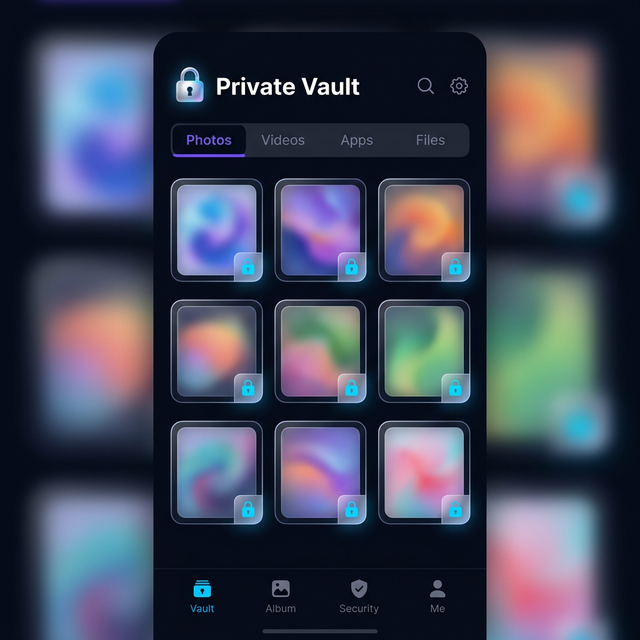
You have probably heard someone mention a vault app, or seen one recommended in a privacy article, or noticed an app on someone’s phone that turned out to be more than it appeared. But if you are new to the concept, the name itself does not tell you much. A vault app — what is it, exactly? Why do people use them? And how do you know if you need one?
This guide answers all of those questions from the beginning. No assumed knowledge, no jargon without explanation, no skipped steps. By the end, you will have a clear understanding of what vault apps are, how to evaluate them, and how to choose the right one for your situation.
What Is a Vault App?
A vault app is a smartphone application that creates a secure, encrypted storage space for private files — photos, videos, documents, notes, and other content — that you want to keep separate from your phone’s regular storage and inaccessible to anyone without your specific credentials.
The core function is protection. A vault app takes files that would otherwise be visible to anyone who picks up your phone, searches through your cloud backup, or uses recovery software, and places them in an encrypted container where they are mathematically protected without the correct key.
Most vault apps protect their contents with a PIN code, a password, biometric authentication (fingerprint or Face ID), or a combination of these. Some vault apps go further with disguise features — they look like other apps entirely — and advanced security measures like encryption, intruder detection, and decoy content.
The simplest mental model is a safe in your home. A safe does not prevent someone from knowing you have valuable possessions. It does prevent them from accessing those possessions without the combination. A vault app is the digital equivalent.
Who Uses Vault Apps — And Why
The biggest misconception about vault apps is that they are for people with something to hide in some suspicious sense. This is genuinely backwards.
Privacy is a fundamental right, and the need for private space does not imply wrongdoing. Consider the range of people with entirely legitimate reasons to use a vault app.
Survivors of abuse or controlling relationships. People in or leaving abusive situations need digital privacy to protect communications with support organizations, legal advisors, and safe contacts. A controlling partner with access to your phone can monitor your behavior in ways that create genuine danger. A vault app creates a protected space that is inaccessible even if your phone is regularly checked.
Medical privacy. Medical conditions, mental health treatment, fertility-related content, test results, and health communications with providers are deeply personal. They belong in your control, not visible to family members, employers, or anyone else who accesses your phone.
Professional confidentiality. Lawyers, therapists, journalists, and medical professionals often carry case-related information on personal devices. Professional ethics and legal obligations require them to protect client and patient information. A vault app helps maintain that protection even when a device is accessed by others.
Personal autonomy. Everyone has content they consider private — journals, personal letters, intimate photos, financial documents — that is nobody else’s business. The existence of private content does not require justification. You have the right to private space.
Parents protecting adult content from children. If you have children who use your phone and want to ensure they cannot access certain content, a vault app is a practical and effective solution.
Travelers protecting sensitive content. Digital searches at border crossings are real. Protecting professionally sensitive or personally private content from inspection during travel is a legitimate privacy concern. The article on protecting private files while traveling covers this in depth.
The “nothing to hide” argument against privacy tools fails because everyone has things they reasonably want to keep private. The question is not whether you have private content but whether you have the right tools to protect it.
The Three Types of Vault Apps
Not all vault apps are built the same way. Understanding the spectrum helps you make a better choice.
Type 1 — Basic PIN-Lock Apps
The lowest level of vault app provides password or PIN protection on a folder or collection of files without real encryption. These apps display a PIN entry screen before showing your files, but the files themselves are stored in standard, unencrypted form on your device.
The problem with PIN-lock-only apps is that the “lock” is cosmetic. The files exist in unencrypted form on your device’s storage. Someone with physical access to the device and a file manager app can browse to the vault’s storage location and view the files directly, bypassing the PIN screen entirely. Forensic tools can extract these files trivially.
PIN-lock apps provide social privacy — they stop casual snooping by someone using your phone interface — but they provide no real security against anyone with more than a passing motivation to access your files.
If your concern is only keeping your kids from seeing something while they borrow your phone, a PIN-lock app might be sufficient. If your concern is anything more serious, it is not.
Type 2 — Encrypted Vault Apps
Encrypted vault apps store files in an encrypted container. The encryption is the key distinction. Files in an encrypted vault are mathematically transformed using an encryption algorithm so that without the correct decryption key, the data is unreadable — not just hidden, but computationally protected.
The gold standard for encryption in consumer vault apps is AES-256, which is the Advanced Encryption Standard with a 256-bit key. AES-256 is the same algorithm used by the US government for top-secret information and by financial institutions for transaction security. With a properly derived key, AES-256 encryption is computationally infeasible to brute-force with current technology.
Encrypted vault apps mean that even if someone extracts the raw data from your device’s storage — using a forensic tool, a file manager, or physical chip-level extraction — the extracted data is encrypted noise. Without your PIN-derived decryption key, it cannot be read.
The article on how AES-256 encryption works explains the mathematics in accessible terms if you want to understand the technical details.
Type 3 — Disguised Encrypted Vault Apps
The third category combines strong encryption with a disguise layer. These apps look like entirely different applications — a calculator, a utility app, a game — while containing an encrypted vault accessible through a specific PIN or gesture.
Calculator Hide App falls into this category. From the outside, it is a functional calculator that performs real arithmetic. Only users who know to enter a specific PIN into the calculator interface gain access to the encrypted vault inside.
The disguise matters because the best security is security that is not visible. An obvious “Private Photos” app with a padlock icon broadcasts that you have private content. A calculator app that also happens to be an encrypted vault does not reveal that any vault exists.
Disguised vault apps address the most sophisticated threat model — situations where simply knowing a vault exists creates pressure to reveal the PIN. They are the most complete solution for privacy in high-stakes situations.
Core Features to Look for in a Vault App
When evaluating vault apps, these are the features that distinguish genuinely useful apps from superficially similar but weaker alternatives.
Real Encryption, Not Just a Lock Screen
Always ask whether the app uses genuine file encryption or just access control. The app’s privacy policy or technical description should mention the encryption algorithm. AES-256 is the benchmark. If an app does not mention encryption, or if it mentions only “password protection” without specifying encryption, treat it as a PIN-lock app rather than an encrypted vault.
Biometric Authentication
Strong vault apps support fingerprint and Face ID authentication alongside PIN entry. Biometric authentication provides convenience without sacrificing security — you can open your vault quickly with your fingerprint rather than typing a PIN each time. The article on biometric vs. PIN authentication covers the relative security properties of each method.
Decoy Vault
A decoy vault — a secondary PIN that opens a convincing but empty alternate vault — is a feature that only the more serious vault apps include. For most users in most situations, it is not needed. For anyone who might face coercive pressure to reveal their PIN, it is essential. The detailed guide on how to set up a decoy vault walks through the full process.
Intruder Selfie Capture
When someone enters an incorrect PIN a specified number of times, the app should use the front camera to capture a photo of the person attempting access, along with a timestamp and GPS location. This creates an accountability record and is a meaningful deterrent. The full explanation of how the intruder selfie feature works covers the technical implementation and ethical dimensions.
Private Browser
A good vault app includes a private browser that operates entirely within the encrypted vault environment — no history saved outside the vault, no connection to your Google or Apple account, accessible only with your PIN. This addresses a major gap that standard incognito mode leaves open. The comparison of private browser vs. incognito mode explains why a vault-integrated browser is fundamentally different from a standard browser’s private mode.
Cloud Backup
Your vault contents should be backed up securely so that losing or replacing your phone does not mean losing everything in your vault. The backup should itself be encrypted — your private files should not be stored in plain form even in cloud backup. Look for apps that offer end-to-end encrypted cloud backup where the backup is unreadable without your credentials.
App Disguise Quality
For disguised vault apps, evaluate the quality of the disguise. The calculator (or other disguise app) should be fully functional and convincing. It should look and behave like the genuine utility app it is pretending to be. An obviously fake calculator interface defeats the purpose of the disguise.
Common Misconceptions About Vault Apps
There are several persistent misunderstandings about vault apps worth addressing directly.
”Vault apps are for people hiding something bad”
As discussed earlier, this reasoning fails because privacy is a universal right. Every person has legitimate private content. The tools used to protect that content are neutral — they are as appropriate for protecting therapy notes as for anything else.
”My phone is already password-protected, so I do not need a vault app”
Your phone’s screen lock protects against casual unauthorized access. It does not prevent someone who has your phone unlocked from browsing your gallery, checking your messages, or accessing your files. A vault app protects specific sensitive content even when your phone is unlocked and in use.
”Vault apps are complicated”
Modern vault apps are designed for everyday users. Calculator Hide App can be set up in minutes with no technical knowledge required. The initial configuration — setting a PIN, optionally configuring biometric access, importing files — takes less time than most app setups.
”The cloud already backs up my photos, so a vault app is redundant”
Cloud backup by major platforms (iCloud, Google Photos) backs up everything in your standard gallery. It does not provide encryption that only you control — the platform has access to your data. A vault app with encrypted backup means your backup is readable only with your key, not by the platform provider.
”If I lose my phone, I lose my vault”
Good vault apps provide cloud backup of vault contents in encrypted form. Calculator Hide App includes this feature. If you lose your device, you can restore your vault contents on a new device using your credentials. See the password recovery guide for details on account and access recovery.
How to Evaluate a Vault App Before You Commit
Before trusting a vault app with sensitive content, ask these questions.
What encryption algorithm does it use? The answer should be AES-256 or equivalent. If the app does not publish this information, that is itself a red flag.
Where is the encryption key derived from? Your key should be derived from your PIN or password and never transmitted to or stored by the app developer. If the app can reset your vault without your PIN, it has access to your decryption key — which means so could anyone who compromises the developer’s systems.
Has the app been independently audited? Security audits by third-party researchers catch vulnerabilities that internal development teams miss. Reputable security software publishes audit results. The absence of any audit information does not automatically mean the app is insecure, but published audits are a positive signal.
What happens if I forget my PIN? A well-designed vault app makes clear that if you forget your PIN and have not set up recovery options, your vault contents may be inaccessible. This is a feature, not a bug — it means your key is truly derived from your PIN and not held by the developer. Apps that can always recover your vault regardless of what PIN you entered suggest they hold the decryption key, which is a security weakness.
What is the developer’s privacy policy? The app should clearly state what data it collects, how it is stored, and who has access to it. An app that collects metadata about your vault usage — what you store, when you access it — is itself a privacy exposure.
Is the app actively maintained? Look at the last update date and the developer’s responsiveness to reported issues. Security vulnerabilities are discovered regularly, and an actively maintained app patches them. An abandoned app accumulates unpatched vulnerabilities over time.
The Spectrum of Vault Apps Available in 2026
The vault app market has several well-known players, and they vary significantly in quality and approach.
Keepsafe Photo Vault is one of the most downloaded vault apps. It offers encrypted photo and video storage with PIN and biometric access. The comparison article on Calculator Hide App vs. Keepsafe covers the detailed feature differences. Keepsafe is a solid encrypted vault but lacks the disguise layer that prevents the vault’s existence from being obvious.
Private Photo Vault (Pic Safe) focuses specifically on photo and video protection. It includes PIN access and basic encryption but fewer advanced features than more comprehensive apps.
AppLock is more focused on locking other apps with a PIN than creating an encrypted file storage container. It prevents people from opening specific apps without a PIN but does not offer the encrypted vault storage that protects file contents.
KYMS and Calculator+ are other disguised vault apps in the calculator category, similar in concept to Calculator Hide App. Their encryption implementations and feature sets vary. The article on dangers of generic vault apps covers what to watch out for in weaker implementations.
Calculator Hide App combines AES-256 encryption, full calculator disguise, biometric authentication, intruder selfie capture, decoy vault, private browser, and cloud backup in a single app. It addresses the full range of privacy threats rather than just basic file protection.
Getting Started with Calculator Hide App
If you have read this far, you have the context to make an informed choice. Here is what getting started looks like.
Download Calculator Hide App from the download page on Android or iOS. The initial setup asks you to set a primary PIN, optionally configure biometric access, and optionally set up a decoy vault. The process takes a few minutes.
Your vault opens through the calculator interface — you enter your PIN into the calculator and tap the equals button (or the equivalent trigger). From inside the vault, you can import photos and videos from your gallery, capture new content directly within the vault, and access the private browser.
For step-by-step guidance on specific tasks, the help center covers importing content, setting up the decoy vault, configuring the intruder selfie feature, and enabling cloud backup.
The app’s features overview gives you a complete picture of everything available within the app if you want to understand the full scope before downloading.
The Bottom Line
A vault app is a tool for protecting private content with genuine encryption rather than relying on device access control or the hope that nobody will look in the right folder.
The distinction between basic PIN-lock apps, encrypted vault apps, and disguised encrypted vault apps matters significantly. The feature gap between a simple PIN-locked folder and a fully encrypted, disguised vault with decoy capability is not minor. For anyone with genuinely sensitive content to protect, the difference is the gap between real security and an illusion of security.
Privacy tools should match the actual threat model. For most people in most situations, a well-implemented encrypted vault app handles the real-world privacy risks they face. Understanding what a vault app is — and what separates good ones from weak ones — is the prerequisite for making that choice well.
You are now equipped to make it.
Frequently Asked Questions
Is a vault app the same as a password manager?
No. A password manager stores your account credentials — usernames, passwords, security keys — in an encrypted database. A vault app stores files — photos, videos, documents — in an encrypted storage container. Some vault apps include note storage that overlaps with basic password manager functions, but they serve fundamentally different primary purposes. Many people use both: a password manager for credentials and a vault app for private media and documents.
Can vault apps be hacked?
Like all software, vault apps can have vulnerabilities. The security of a vault app depends on the quality of its implementation, whether it is actively maintained with security patches, and whether independent security researchers have reviewed it. An app using genuine AES-256 encryption with a user-controlled key is not “hackable” in the sense of the encryption being broken — AES-256 is computationally infeasible to crack. Vulnerabilities tend to be in authentication mechanisms or implementation details rather than the core encryption algorithm.
Do vault apps work offline?
Yes. The core vault functionality — accessing and viewing your encrypted files — works entirely offline. Your files are stored on your device in encrypted form and do not require an internet connection to access. Cloud backup and sync features require connectivity, but viewing content inside your vault does not.
What types of files can I store in a vault app?
Most vault apps support photos, videos, and common document formats. Calculator Hide App supports images, videos, audio files, and documents. The private browser operates like a standard mobile browser within the vault environment. Check the specific supported formats for any app you are evaluating, particularly if you have specific file types you need to protect.
What happens to my vault contents if I uninstall the app?
This depends on the app and your backup configuration. If you have cloud backup enabled, your vault contents are preserved and can be restored on reinstallation with your credentials. If you have no backup and uninstall the app, vault contents may be permanently lost depending on how the app stores data. Before uninstalling a vault app, always verify your cloud backup status and ensure your credentials are saved somewhere secure. Never uninstall without first confirming your content is backed up.
Is it obvious to others that I am using a vault app?
With a disguised vault app like Calculator Hide App, no. The app appears in your app drawer and on your home screen as a calculator. Nothing in the app’s icon, name, or visible behavior indicates it contains a vault. This is the fundamental advantage of the disguise approach over apps with obvious “Private Vault” names and padlock icons.
How much storage space does a vault app use?
The vault app itself is typically a small installation — a few megabytes. The vault storage grows as you add content. The total storage consumed is essentially equal to the size of the files you import plus a small overhead for encryption metadata. If you import 5 GB of photos into your vault, your vault will use approximately 5 GB of device storage. Cloud backup consumes equivalent storage in your cloud account.
Can I access my vault on multiple devices?
Apps with cloud backup support generally allow you to access vault contents across multiple devices by signing into the same account. Calculator Hide App supports cloud backup and multi-device access. This requires the same credentials on each device. For security, each device is a potential access point, so ensure all devices with vault access are themselves secured with strong device-level authentication.
What should I do if I forget my vault PIN?
If you forget your vault PIN, recovery options depend on what you set up when you configured the app. Calculator Hide App offers account-based password recovery through the password recovery process. If you have biometric authentication enabled, you may be able to access your vault without the PIN. If no recovery options were configured and you have forgotten your PIN, vault contents may be permanently inaccessible — which is a security feature, not a design flaw. Set up recovery options at the time of initial configuration, not after you have already forgotten your PIN.
Are vault apps legal to use?
Yes, in virtually all countries. Encrypting your own files on your own device is legal in the overwhelming majority of jurisdictions. A small number of countries have laws regarding encryption that could theoretically apply, but consumer use of encrypted vault apps is not a legal issue in the US, EU, UK, Canada, Australia, or most other countries where these apps are popular. If you are in a jurisdiction with specific laws around encryption or device content, consult local legal resources for clarity.
You now know what a vault app is, how to evaluate one, and what makes Calculator Hide App a strong choice for genuine privacy protection. Download Calculator Hide App free on Android and iOS and start protecting what should always have been private.