Last year, a woman in the UK deleted intimate photos from her phone before lending it to a colleague for a weekend trip. She emptied her gallery. She was confident the photos were gone. Three weeks later, the colleague mentioned seeing something he should not have. The photos had been automatically backed up to iCloud before deletion. They were sitting in iCloud’s Recently Deleted folder, fully visible, for 30 days.
That story is not exceptional. Variations of it happen constantly because most people operate under a dangerous misconception: that deleting a file means it is gone.
It is not gone. Not immediately. Sometimes not ever. The systems designed to protect you from accidental deletion — the trash folders, the cloud backups, the recycle bins — are the same systems that keep your deleted photos alive long after you thought you destroyed them.
This article explains exactly what happens when you tap Delete on a photo. It covers both iPhone and Android. It covers the cloud. It covers what professional recovery tools can see. And it ends with the one approach that actually prevents this problem rather than managing it after the fact.
The 30-Day Window You Probably Forgot Exists
Every major photo platform gives you a 30-day grace period after deletion. The intention is good — accidental deletion is common, and people are grateful for the recovery option when they need it. But the same grace period is a privacy liability.
On iPhone, when you delete a photo from the Photos app, it moves to an album called Recently Deleted. It sits there for 30 days in full resolution before being permanently removed. Anyone with access to your unlocked iPhone can open Photos, scroll to the Albums tab, tap Recently Deleted, and see everything you deleted in the past month.
In iOS 16, Apple added the ability to lock the Recently Deleted album with Face ID or your device passcode. This is an improvement. But it still defaults to unlocked on older iOS versions, and the lock only applies when you have explicitly enabled it. Many users never turned this setting on.
On Android, the behavior depends on your gallery app. Google Photos has its own Trash folder with the same 30-day window. Samsung Gallery has a Recycle Bin with a 30-day window. Most other Android gallery apps have similar features. All of them follow the same pattern: deletion is a two-step process, and step one just moves the file.
The 30-day window alone is enough to expose photos you thought were deleted to anyone who picks up your unlocked phone within that window.
Cloud Sync Runs Faster Than You Think
Here is where it gets more alarming. Most smartphones are configured to automatically back up photos to the cloud the moment they are taken — or within seconds when you connect to Wi-Fi. This means by the time you decide to delete a photo, it may already exist in at least two places: on your device and in your cloud backup.
On iPhone with iCloud Photos enabled, every photo you take is synced to iCloud immediately on a Wi-Fi connection. When you delete the photo on your iPhone, that deletion syncs to iCloud too — so the photo moves to iCloud’s Recently Deleted folder rather than disappearing. The same 30-day recovery window applies in iCloud.
If someone has access to your Apple ID credentials, they can log into iCloud.com from any browser anywhere in the world and see your Recently Deleted photos. They do not need your physical device.
On Android with Google Photos backup enabled, the same process applies. Photos sync to Google’s servers, deletions move photos to Google Photos Trash, and the 30-day recovery window runs in the cloud. Anyone with your Google account credentials can access this.
This creates a situation where deleting a photo from your phone does not delete it from the cloud. You need to explicitly empty the cloud trash as a separate step — and many users do not know this.
Multiple Cloud Copies Across Multiple Services
It gets worse. Many people have multiple cloud services running simultaneously without realizing it.
An Android phone with both Google Photos and Samsung Cloud enabled creates two separate cloud backups of every photo. Deleting from one does not delete from the other.
An iPhone user who has iCloud Photos enabled and also backs up their phone with iTunes creates both a cloud copy and a local encrypted backup. The local backup, stored on your computer, contains a snapshot of your photos at the time of the backup. Deleting photos from your phone does not retroactively modify old backups.
Third-party apps add another layer. If you ever used Dropbox, OneDrive, Amazon Photos, or any other cloud storage service that automatically imports photos, those services have their own copies with their own deletion rules and their own trash folders.
A photo you deleted from your iPhone six months ago may still exist in a Dropbox camera upload folder, in an Amazon Photos library, and in an old iTunes backup on your computer. Each of these requires a separate deletion action.
What Forensic Recovery Tools Can See
The 30-day trash window and cloud copies are the obvious risks. But they are not the full picture.
When you permanently delete a file from a digital storage medium — including after emptying the trash — the file’s content is not immediately overwritten. The operating system marks the space as available but does not immediately write zeros over the data. Until new data is written to that exact storage location, the old data remains physically present on the storage chip.
Professional forensic tools exploit this. Cellebrite UFED, which is used by law enforcement agencies worldwide, can extract data from smartphones including files that have been deleted and emptied from trash. The tool accesses the device at a low enough level to read storage sectors that the operating system considers free.
DiskDigger is a consumer-grade recovery tool available on Android that uses the same principle. Without root access, it can recover photos from your gallery that were recently deleted. With root access, it can go deeper into the file system and potentially recover much older deletions.
On iPhone, the equivalent tools require more specific conditions — typically either a chip-off forensic extraction or an unlocked device — but they exist and are used in legal cases regularly.
The timeline for forensic recovery depends on how actively you use your device. If you take a hundred photos a day, the deleted photo’s storage space gets overwritten quickly. If your phone’s storage is mostly empty, the deleted data can persist for months.
This is not a hypothetical risk. Courts in divorce proceedings, employment disputes, and criminal cases routinely order forensic analysis of smartphones. Data people assumed was deleted has been recovered and used as evidence. If you are reading this article and thinking this would never apply to you, consider that the people who ended up in those cases thought the same thing.
The Google Photos Scanning Problem
There is one more dimension to deleted photo privacy that deserves its own section: what happens to photos before you delete them.
Google Photos uses machine learning to analyze the content of your photos. This is how features like automatic albums, face recognition, and the “Memories” feature work. The scanning happens on Google’s servers, not just your device. This means photos you have uploaded to Google Photos have been processed by Google’s systems.
When you delete a photo from Google Photos and it sits in Trash for 30 days, Google’s analysis of that photo’s content is not necessarily deleted alongside the image file. Metadata, tags, and analytical results may persist in Google’s systems even after the photo itself is removed. We discuss this issue in more depth in our article on whether your gallery app is actually private.
This is not a conspiracy theory — it is the documented behavior of an advertising company using photo analysis to improve its products and serve better ads. It is worth knowing about when you think about what “deleting” a photo means in a Google ecosystem.
The iCloud and Apple Privacy Situation
Apple has a better reputation for privacy than Google, and in many ways that reputation is deserved. Apple uses on-device processing for many Photos features including face recognition, and Apple’s privacy policy is more restrictive about using photo data for advertising.
However, iCloud Photos stores your photos on Apple’s servers. Apple has access to those servers. In response to valid legal requests, Apple can and does provide data from iCloud to law enforcement. Deleted photos that are still in the Recently Deleted folder are included in that data.
Apple also participates in CSAM scanning — scanning photos for child sexual abuse material. As of 2026, this scanning happens server-side on iCloud stored images. The existence of this scanning infrastructure means your photos are being analyzed, regardless of the stated purpose.
For most people, Apple’s privacy practices are reasonable and represent a better default than many alternatives. But “better than the alternatives” is not the same as “completely private.”
What Happens When You Factory Reset Your Phone
Factory resetting a device does not guarantee that photos are unrecoverable. Modern smartphones encrypt storage by default, which means a factory reset that also generates a new encryption key can make old data inaccessible — the data is still there physically, but cannot be decrypted without the old key.
However, not all factory resets handle this correctly. Older Android devices, devices running heavily modified versions of Android, and devices where full-disk encryption was not properly enabled may leave recoverable data after a factory reset.
If you are planning to sell or give away a device, the safest approach is to enable full encryption before resetting if it is not already enabled, then perform the factory reset. This makes forensic recovery of old data effectively impossible.
The Only Approach That Prevents This Problem
Everything described above is a reactive problem — you took a photo, synced it to the cloud, and now you are trying to delete it from multiple systems while hoping forensic tools cannot recover it from your device’s storage.
There is a much simpler preventive approach: never let sensitive photos reach your standard gallery in the first place.
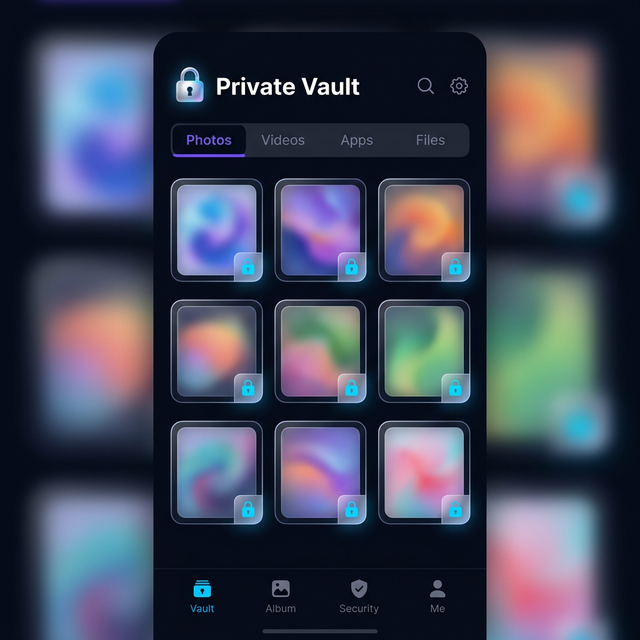
When you capture or receive a sensitive photo and immediately import it into an encrypted vault app, it bypasses the automatic cloud backup entirely. Photos imported into Calculator Hide App’s vault are stored in an encrypted container within the app’s sandboxed storage. They do not appear in your Camera Roll. They do not get synced to iCloud or Google Photos. They do not go into anyone’s Recently Deleted folder when you delete them from the vault.
This is the architectural difference between hiding photos and actually protecting them. The standard gallery is a leaky system by design — it is optimized for convenience, sharing, and backup, not privacy. A vault app is the opposite: optimized for privacy first, with convenience as a secondary consideration.
When you import a photo into Calculator Hide App and delete the original from your Camera Roll, you are left with one copy: the encrypted copy inside the vault. There is no cloud backup of it. There is no cloud trash. The vault itself appears as a calculator to anyone who sees it. We cover the full details of this workflow in our guide to hiding photos on Android, our guide to hiding photos on iPhone, and our guide to hiding videos on Android.
An Emergency Checklist for Right Now
If you have deleted sensitive photos recently and are concerned about recovery, here is what you should do immediately.
First, open Photos (iPhone) or Google Photos (Android) and go to the Recently Deleted or Trash section. Permanently delete everything there. Do not just leave it to expire.
Second, log into iCloud.com or photos.google.com on a browser and do the same thing in the cloud trash. Delete permanently from the cloud.
Third, check any other cloud services you have connected — Dropbox, Amazon Photos, OneDrive, Samsung Cloud. Delete from each.
Fourth, check your computer for any iTunes or Finder backups of your iPhone, or Google Takeout downloads. Old backups contain copies of photos that existed when the backup was made.
Fifth, understand that this checklist addresses the recoverable copies but does not guarantee that forensic tools cannot find remnants in your device’s file system. The only way to eliminate that risk is to overwrite the storage, which happens naturally over time as you use your phone.
Going forward, the structural solution is to keep sensitive content inside a vault app from the moment it is captured or received, rather than trying to clean it up after the fact.
The Bigger Picture on Digital Photo Privacy
The gap between user expectations and technical reality when it comes to deletion is one of the most important digital privacy issues most people never think about. Every system you use to organize and store photos — your phone’s gallery, your cloud backup, your messaging apps — has its own copy, its own trash, and its own retention rules.
The assumption that deleting a photo means it is gone is a dangerous one. It has exposed private images in personal relationships, cost people jobs, and appeared as evidence in legal proceedings. The technical systems are not malicious — they are designed to prevent accidental data loss, which is a legitimate goal. But those same systems expose data you intended to destroy.
The answer is not paranoia. It is awareness and a different approach to where sensitive content lives in the first place. Keep private photos in an encrypted vault. Understand the lifecycle of everything else. And never rely on deletion alone to protect something truly sensitive.
Calculator Hide App gives you an encrypted private space that is completely separate from your phone’s standard storage and cloud ecosystem. If you have been thinking you needed to solve this problem, download Calculator Hide App and set it up today. The process takes about two minutes, and it permanently changes how you handle sensitive content on your phone.
Frequently Asked Questions
How long do deleted photos stay on my phone? On both iPhone and Android, deleted photos move to a Recently Deleted or Trash folder and stay there for 30 days before permanent deletion. During those 30 days they are fully accessible to anyone with access to your unlocked phone.
Does deleting from iCloud delete it everywhere? Deleting a photo from iCloud Photos on your iPhone deletes it from all your devices that use the same Apple ID, and moves it to iCloud’s Recently Deleted folder for 30 days. You need to separately empty that folder to remove it from iCloud’s servers.
Can police recover deleted photos from a phone? Law enforcement agencies use professional forensic tools like Cellebrite that can recover deleted files from device storage. Whether recovery is possible depends on how long ago the deletion occurred, how much data has been written to the device since, and whether the device storage uses proper encryption.
What is Cellebrite and should I be worried about it? Cellebrite UFED is a forensic extraction tool used by law enforcement that can access data on smartphones at a deep level, including recently deleted files. It is used in criminal investigations and is increasingly common in civil legal proceedings including divorce cases. For most people it is not a practical daily concern, but it illustrates that “deleted” does not mean “unrecoverable.”
Does factory resetting my phone delete photos permanently? On modern devices with full-disk encryption enabled, a factory reset effectively makes old data unreadable by regenerating the encryption key. On older devices or those without proper encryption, remnant data may be recoverable. Always verify that encryption is active before resetting a device you plan to sell or give away.
Does Google actually scan my photos? Yes. Google Photos uses server-side machine learning to analyze photo content to power features like automatic album creation, face grouping, object recognition, and the Memories feature. This analysis happens on Google’s servers, not just your device.
If I use a vault app, can cloud backup still access those files? No. Files stored inside a vault app like Calculator Hide App live in that app’s sandboxed storage. They are not visible to your camera roll, not included in photo library backups, and not accessible to Google Photos or iCloud. The vault’s encrypted container is backed up as an app data file if you choose to enable that, but the contents remain encrypted and unreadable without your vault PIN.
What is the safest way to send a private photo to someone? The safest approach is to use an end-to-end encrypted messaging app like Signal, which does not save message media to cloud backups by default. Be aware that the recipient has their own copy once they receive it, and their practices may differ from yours.
Is the Recently Deleted album in Photos locked by default on iPhone? No. The lock feature for Recently Deleted was added in iOS 16, but it is not enabled by default. You need to actively enable it in Photos settings. Without the lock, anyone with your unlocked iPhone can open the Recently Deleted album directly.
How do vault apps prevent photos from going to the cloud? Vault apps store files in their own application sandbox, which is separate from the phone’s media library. Since photos imported into a vault never enter the gallery or camera roll, the photo backup systems — iCloud, Google Photos, Samsung Cloud — have no awareness of those files and never sync them.