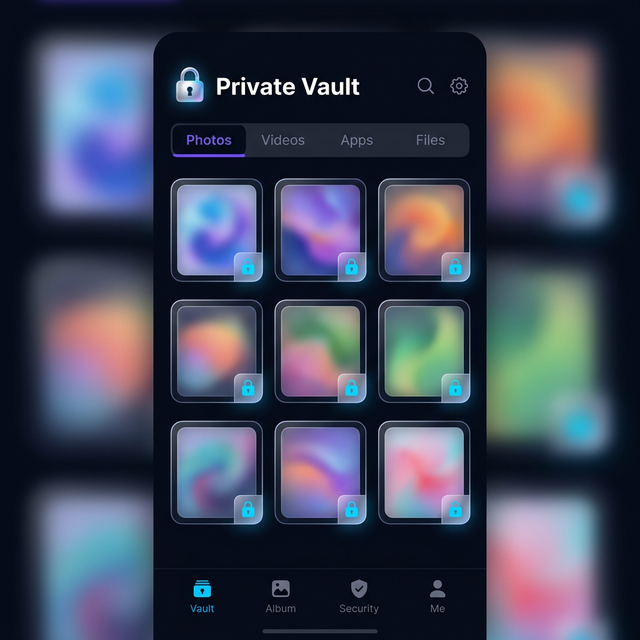
Most vault apps fail at the first test. Someone picks up your phone, sees an app called “Private Vault” or “Secret Photos,” and the investigation begins. The lock icon is the giveaway. The name is the giveaway. The whole design announces that you are hiding something — and that announcement defeats the entire purpose. Calculator Hide App was built around a different idea: the best privacy tool is one that nobody suspects is a privacy tool at all. These calculator hide app features work together to create layered protection that goes far beyond a simple password screen.
Why Regular Vault Apps Fall Short
Think about the last time you handed your phone to someone. A friend wanted to see a photo. A colleague needed to borrow it for a call. In every one of those moments, your phone was out of your hands. A vault app with a padlock icon on your home screen is an open invitation to curiosity. People notice. People ask questions. People sometimes push.
The disguise problem is not a paranoid concern — it is a practical reality. A visible lock creates friction, suspicion, and sometimes pressure. The solution is not a stronger lock. The solution is a vault that does not look like a vault. That is the design philosophy behind every feature in this app.
Feature 1: Real Calculator Disguise
You hand your phone to a friend to show a photo. Your vault is invisible. There is no lock icon, no “Private” folder, no suspicious app name. There is only a calculator — and it works perfectly, because it is a real calculator.
The disguise is not cosmetic. Calculator Hide App performs genuine arithmetic. Addition, subtraction, multiplication, division, percentages — every function works as expected. If someone picks up your phone and opens the app out of curiosity, they get a calculator. They use it, they put it down, and they never know what is sitting beneath the surface.
This matters because the alternative is worse than having no vault at all. A vault app that announces itself as a vault is a target. It draws attention. In high-pressure situations — a controlling relationship, a border crossing, a difficult conversation — a visible vault creates leverage for whoever is demanding access. A calculator creates nothing. It is just a calculator.
The disguise also extends to the app’s behavior on your device. There are no notification banners referencing your private files. The app does not appear in recent documents under a suspicious name. It lives on your home screen exactly like any other utility, drawing no attention.
To access your vault, you enter a specific PIN sequence into the calculator. The sequence is yours — you set it during onboarding. To anyone watching, you are just typing numbers. The vault opens without any visible transition that would tip off an observer. This level of concealment is not available in any app that uses a padlock as its icon.
Feature 2: AES-256 Encryption
The disguise keeps people from looking. Encryption keeps your files safe even if someone finds a way in. Calculator Hide App uses AES-256 encryption — the same standard that protects classified government communications, financial transactions, and secure messaging platforms. Understanding what that means in practice matters.
AES-256 is a symmetric encryption algorithm with a 256-bit key. A brute-force attack against a properly implemented AES-256 key would require more computational attempts than current technology can perform in any meaningful timeframe. It is not a marketing claim — it is a specific, audited, widely trusted standard. You can read a detailed breakdown in our post on how AES-256 encryption works.
What makes the implementation particularly strong is how the key is derived. Your key is generated from your personal PIN using a key derivation function. The key never leaves your device. There are no servers storing it. There is no account to compromise, no cloud backup that could be subpoenaed. This is zero-knowledge architecture in practice: the company cannot decrypt your files even if asked.
Every file you add to your vault is encrypted before it is stored. If someone physically extracted your device’s storage, they would find encrypted data. Without your PIN, that data is unreadable through any standard file browser or forensic tool.
A lost device, a seized device, or a compromised cloud backup are all situations where encryption provides the last line of defense. The disguise handles everyday privacy. The encryption handles worst-case scenarios.
Feature 3: Biometric Authentication
Your PIN is your primary credential — it derives your encryption key and unlocks the vault at the calculator level. But typing a PIN every time adds friction. Biometric authentication removes that friction without reducing security.
Calculator Hide App supports fingerprint scanning on compatible Android and iOS devices, and Face ID on newer iPhones and supported Android hardware. Once you enable biometrics, you can open your vault with a glance or a touch. The unlock is fast and private. Nobody watching sees you enter a sequence that reveals your access method.
The relationship between biometrics and your PIN matters. Biometrics are a convenience layer, not a replacement for the PIN. Your PIN is still the cryptographic root of your vault. Biometric authentication verifies your identity and then uses your stored PIN to unlock — it does not bypass encryption. Even if a biometric spoofing method were used, the encryption key derived from your PIN would still be required to read your files.
In most daily situations, biometrics are the right choice — fast, private, no visible input. When you want precise control, the PIN is there. Our post on biometric vs PIN authentication goes deeper into the tradeoffs.
There is also a legal consideration in certain jurisdictions. In some contexts, compelling someone to provide a fingerprint is treated differently than compelling them to reveal a PIN. The app gives you both options so you can choose based on your situation.
Feature 4: Intruder Detection with Selfie Capture
You leave your phone on a table. Someone picks it up and tries to guess your calculator PIN. They enter a wrong sequence. Then another. Calculator Hide App responds automatically.
When an incorrect PIN attempt is made, the app uses the front-facing camera to capture a silent photo of whoever is holding the phone. No shutter sound, no visible flash. Along with the photo, the app records the date, time, and location of the attempt, stored in a dedicated section of your vault separate from your regular files.
The next time you open your vault, you can see exactly who tried to get in and when. It is a deterrent as much as a log. Someone who knows — or suspects — that failed attempts are recorded is far less likely to experiment with guessing.
The selfie capture also provides practical information when you need it. If your phone was taken and access was attempted, you have a photo. If someone in your household tried to get in without your knowledge, you have a record. Read more in our dedicated post on the intruder selfie feature.
The combination of disguise and intruder detection is particularly effective. The disguise means most people will never find the vault at all. For the rare case where someone does find it and tries to force entry, the intruder detection creates accountability.
Feature 5: Decoy Vault
The decoy vault is designed for a specific scenario — one that other privacy features cannot address. You are in a situation where someone is demanding that you unlock your vault. The disguise has failed, or the person already knows about the vault. They are not guessing. They are asking directly, and the pressure is real.
In that scenario, strong encryption offers no protection. You can be compelled to provide the key. This is the rubber-hose problem: no technical security helps if someone can simply pressure you into revealing it. The decoy vault exists to address exactly that.
You set up a secondary PIN during configuration. That PIN opens a second vault — one that looks real and contains whatever content you choose. You might store a few benign photos and non-sensitive documents. When someone demands you unlock the vault, you enter the decoy PIN. They see the decoy content. Your real vault stays hidden.
The decoy is indistinguishable from the real vault. No different interface, no warning message. Anyone looking at the unlocked decoy sees what appears to be your entire vault. You are not refusing to comply — you are complying with what looks like the full request while your real files stay protected.
Our guide on how to set up a decoy vault walks through the process step by step, including what content to put in the decoy to make it convincing.
How the Features Work Together
Each feature is strong on its own. Together, they form layers that compound.
The disguise is the outermost layer. Most threats — casual snooping, a borrowed phone, a curious person — never get past it. The vault is simply not visible as a vault.
If the disguise is bypassed, AES-256 encryption protects the files themselves. Even with physical access to the device’s storage, the files cannot be read without the key.
Biometric authentication makes the secure system usable in daily life. Privacy tools that are too inconvenient to use get abandoned. Fast biometric unlock removes the friction that causes people to disable security features entirely.
Intruder detection turns failed access attempts from invisible events into documented records. The deterrent effect is real.
The decoy vault closes the gap that encryption alone cannot close. When the threat is social pressure rather than a technical attack, the decoy provides a response that satisfies the demand while protecting the real content.
If you want a complete picture of how all of these pieces fit together, our post on whether Calculator Hide App is safe covers the architecture and design decisions in full.
Frequently Asked Questions
Does the disguise actually work if someone knows vault apps exist?
Yes. The app functions as a real calculator — not a fake one with a few buttons that do nothing. Anyone who opens it sees a working calculator and can use it normally. Even someone specifically looking for vault apps would need to know your access PIN sequence to find the vault. The disguise holds because it is not a shell — it is a real, functional tool with a vault built underneath.
What happens to my files if I forget my PIN?
Your files are encrypted with a key derived from your PIN. Without your PIN, the files cannot be decrypted — not by you, not by the app, and not by us. This is zero-knowledge architecture. The app provides a recovery process tied to your account credentials, but this is why backing up your PIN matters. Encryption that can be freely bypassed by a recovery process offers weaker protection.
Can the intruder selfie be triggered accidentally?
The trigger is a failed PIN entry — a sequence that does not match your vault access PIN. Normal calculator use does not trigger it because everyday arithmetic does not involve entering your vault PIN. The system is designed to distinguish between ordinary calculator use and a failed vault access attempt. Accidental triggers are rare in normal use.
Is the decoy vault detectable by forensic tools?
The app stores two encrypted containers. A forensic analysis would reveal encrypted data, but distinguishing the decoy vault from the real vault requires the correct PIN for each. The decoy container is not flagged or marked differently in storage. Both vaults appear as encrypted data, and neither announces itself as real or fake.
These five features — disguise, encryption, biometrics, intruder detection, and the decoy vault — represent a complete approach to mobile privacy. Not one strong lock, but multiple independent layers that each address a different threat. Ready to put them to use? Download Calculator Hide App free on Android and iOS.