The journalist had spent three weeks in a sensitive country conducting interviews for a story. Her phone contained photos, voice memos, and documents relating to confidential sources. At the airport on the way home, a customs officer asked her to unlock her device. She hesitated.
She knew that refusing could mean detention, a missed flight, and a device confiscation. She also knew that unlocking the phone could expose sources to serious harm.
She had not prepared. She paid for it.
This story is not unusual. It is not limited to journalists. Every year, thousands of travelers — ordinary citizens, business professionals, attorneys with privileged communications, domestic violence survivors traveling away from abusers, and yes, journalists — face device searches at borders, thefts in hotels, and security incidents they did not anticipate. The threat is real, and it is not evenly distributed.
This guide is practical. It covers the legal authorities that apply to device searches in major jurisdictions, the specific threats you face in different travel scenarios, and the concrete steps to take before, during, and after travel to protect your private files. We will also cover how Calculator Hide App’s features — particularly the decoy vault — are designed for exactly this type of scenario.
Understanding What You Are Protecting Against
There are three distinct threat scenarios for travelers. They require different approaches.
Border and customs searches involve government agents who may have legal authority to demand device access. The threat is coerced access by a party with legal power.
Hotel and accommodation risks involve physical access to your device when you are not present. The threat is unauthorized access by a party without legal authority but with physical opportunity.
Device theft involves your device in someone else’s hands. The threat is technical access by a party with physical possession of the device.
Each scenario has different mitigations. We will cover all three.
The Law on Border Device Searches: What Agents Can Actually Do
United States: CBP Authority
US Customs and Border Protection (CBP) has broad authority to search travelers’ devices at ports of entry — including airports, land crossings, and seaports. This authority is grounded in the border search exception to the Fourth Amendment, which allows warrantless searches of travelers and their belongings at the border.
For US citizens: you cannot be denied entry to the United States for refusing to provide device passwords. You are home. However, CBP agents can detain you, confiscate your device for days or weeks, and refer your case for further investigation. In practice, refusing to unlock your device at a US border as a citizen means delay and device confiscation, not indefinite detention.
For non-citizens (including visa holders and green card holders): the stakes are higher. Refusal to comply with a device search request can be grounds for denied entry. Lawful permanent residents (green card holders) have somewhat stronger protections than visa holders, but all non-citizens face potential entry denial for non-compliance.
A 2019 court ruling (Alasaad v. McAleenan, later appealed) found that CBP requires reasonable suspicion — not just the fact of crossing a border — to conduct a forensic search (connecting your device to specialized equipment). Manual searches (an officer scrolling through your phone) face a lower standard. As of 2026, the legal status of these standards continues to be litigated in federal courts.
Practical implication: You may be legally required to unlock your device for manual inspection. You may have the right to refuse a forensic examination, though this right is contested and exercising it has consequences.
United Kingdom: PACE Act and Schedule 7
In the UK, the Police and Criminal Evidence Act (PACE) governs most law enforcement device access, requiring reasonable suspicion. However, Schedule 7 of the Terrorism Act 2000 gives border officers at ports and airports the power to detain, question, and search travelers — including their devices — without any requirement of reasonable suspicion. This power is used far beyond terrorism investigations in practice.
Refusal to provide device passwords under Schedule 7 can result in criminal charges for obstructing an examination. The maximum penalty is three months imprisonment and a fine.
British citizens, like US citizens, cannot be denied entry to their own country. Non-citizens face greater risks.
European Union
The EU does not have a unified border device search regime. Within the Schengen area, there are typically no border checks between member states. At external borders (entering the EU from outside), individual member states’ rules apply, and practices vary significantly. Germany and France have different approaches to device access at borders than Hungary or Poland.
The GDPR has implications here: it provides stronger data rights for EU residents than most other jurisdictions. However, GDPR rights are for data protection from private entities, not a direct shield against border searches by law enforcement.
For travelers entering EU member states from outside the Schengen zone, check the specific rules of the destination country.
Other Jurisdictions Worth Knowing
Canada: The Canada Border Services Agency (CBSA) has broad search authority similar to US CBP. Canadian courts have ruled that border agents may examine the contents of a device without a warrant, though this ruling is subject to ongoing legal challenge.
Australia: The Australian Border Force has authority to require device passwords under pain of criminal penalty for refusal (up to two years imprisonment under amendments to the Customs Act).
China, Russia, and other high-surveillance jurisdictions: Travelers to these countries should assume devices will be imaged or searched if presented. The legal situation for foreign travelers is murky and enforcement is unpredictable.
The bottom line is that in most countries, a border agent with your physical device has significant legal authority — and often significant practical power regardless of legal limits. The solution is not primarily legal. It is technical.
Before You Travel: The Preparation Protocol
Step 1: Take a Device Inventory
A week before travel, go through your phone and identify what is on it that you would not want a stranger to read. This includes:
- Private photos and videos not meant for general viewing
- Business documents with confidential client or company information
- Legal communications (attorney-client privilege)
- Journalist source information
- Medical information
- Financial account access
- Personal communications that are embarrassing, sensitive, or private
For anything in this list, decide: does this need to travel with me, and if so, in what form?
Step 2: Move Sensitive Files to Calculator Hide App Before You Leave
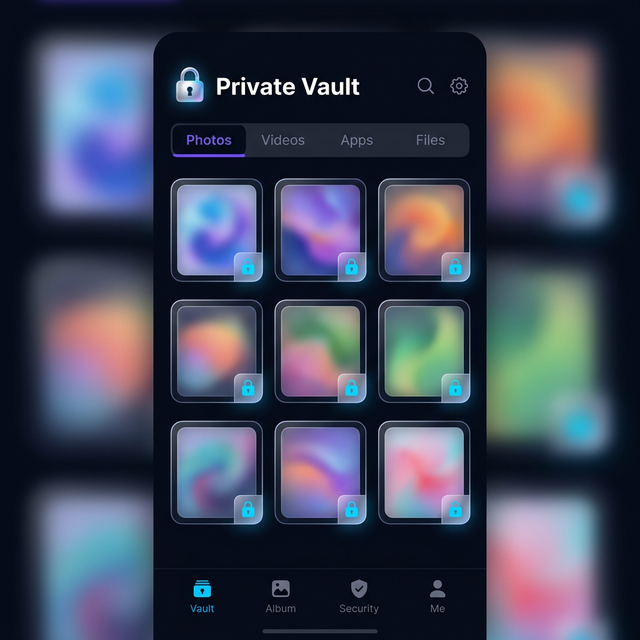
Files that need to travel but are sensitive belong in Calculator Hide App’s encrypted vault, not in your camera roll. The vault’s AES-256 encryption means the files are cryptographically protected even if your device is accessed. Move sensitive photos and documents before you get to the airport.
If you want to understand how this encryption works technically, our article on how AES-256 encryption works provides the detail. The short version: an agent scrolling through your device cannot see vault files, and even with forensic tools extracting raw storage, the files are unreadable ciphertext.
Step 3: Set Up the Decoy Vault
This is the step most travelers overlook and the one that provides the most practical protection in a border crossing scenario.
Calculator Hide App’s decoy vault feature allows you to maintain a second vault that opens with a different PIN. The decoy vault contains plausible but non-sensitive content — innocuous photos, non-confidential files, the appearance of a real vault without the actual contents.
If you are asked to open the vault app at a border crossing, you open the decoy vault. The agent sees a vault with contents. The real vault remains sealed behind the actual PIN, which was never requested.
This is not obstruction or fraud — you opened the app when asked. You provided access to the vault. The existence of a second vault is not something you volunteered or denied. Our detailed guide on how to set up the decoy vault walks through the setup process step by step.
Set up your decoy vault before you travel, not at the airport.
Step 4: Consider a Travel Device
For high-risk travel — to countries with aggressive surveillance, or for travel where sensitive professional information is involved — consider carrying a travel phone with only the apps and data you need for that trip. Your main phone stays home.
This approach is used by security-conscious journalists, attorneys, and government officials. It is overkill for most leisure travel but appropriate for certain professional situations.
If a travel device approach is not feasible, a factory reset before travel (with full backup) and a fresh setup with only necessary apps achieves a similar result, at the cost of setup time.
Step 5: Enable Remote Wipe
Both iOS and Android allow you to remotely wipe your device through Find My iPhone and Find My Device respectively. Verify this is enabled before travel. If your device is confiscated and you have reason to believe sensitive data will be accessed, remote wipe is a drastic but available option.
Note: a remote wipe requires the device to be connected to a network. A device that is powered off or in airplane mode cannot be remotely wiped until it reconnects. Law enforcement and sophisticated actors know this, which is why confiscated devices are often immediately placed in Faraday bags.
Step 6: Back Up Everything Before You Leave
Before travel, make sure your vault contents are backed up. If your device is confiscated, damaged, or stolen, you want to be able to restore your vault to a new device. Calculator Hide App’s encrypted cloud backup provides this. Our comparison of cloud backup vs. local storage explains the tradeoffs, but for travel specifically, having a backup is strongly recommended.
Back up the day before travel, not weeks earlier.
At the Airport: Practical Protocol
At Security (TSA, Airport Screening)
Airport security screening in most countries is concerned with physical threats, not digital content. TSA and equivalent agencies do not routinely request device passwords. You will be asked to remove your laptop from your bag. Your phone goes through the X-ray. That is typically the extent of it.
The screen time your device spends in the X-ray tray out of your sight is a minor pickpocket risk, not a data security risk. Keep your phone in your carry-on bag rather than the outside pocket of your bag, and keep the bag in sight.
At Customs and Border Control
This is where the legal frameworks above become relevant. Some practical guidance:
Have a plan before you approach the desk. Know what you will do if asked to unlock your device. Decide this at home, not in the stress of a border crossing.
Know your rights, but know the consequences. In the US, citizens can refuse, but face device confiscation and delay. Know whether you are willing to accept that.
If your device is unlocked and a manual search is happening, you cannot control what the agent sees if your files are not protected. Files in Calculator Hide App’s vault are not visible to an agent scrolling through your photo library or file manager. The calculator disguise means the app itself does not signal the presence of hidden files.
If asked specifically about vault apps, your options depend on your legal situation and what you have to protect. This is where the decoy vault provides practical cover — you can open the app and show vault contents without exposing your real vault.
If your device is confiscated for a forensic examination, a specialist connecting your device to equipment like Cellebrite can extract much of what is on it, depending on the device model, iOS/Android version, and whether the device is in a locked state. Modern iPhones in a locked, fully updated state are significantly resistant to current versions of commercially available forensic tools. Androids vary more by manufacturer and OS version. The vault’s own encryption adds a layer even beyond device encryption.
Hotel and Accommodation Security
Your device is most vulnerable in your hotel room when you are not there. Hotel staff, and occasionally other guests, have access to rooms. This is not paranoia — it is a documented category of theft and data theft.
Do not leave your device in your hotel room unsecured. Put it in the hotel safe if one is available — hotel safes are not impenetrable, but they deter casual access. Carry your device with you when possible.
Disable USB debugging on Android. USB debugging allows advanced access to an Android device when connected to a computer. If someone connects your Android phone to a computer while you sleep, USB debugging gives them significantly more access. Go to Developer Options and ensure USB debugging is off unless you actively need it.
Be aware of your charging setup. “Juice jacking” — malicious hardware embedded in public USB charging stations that installs malware — has been documented by the FBI and other agencies. Use your own charging adapter rather than charging from airport or hotel USB ports. A USB data-blocking adapter (a small device that allows power but not data transfer through USB) is an inexpensive travel precaution.
Lock your device when you set it down. This seems obvious, but travelers who are relaxed and tired in their room often leave devices unlocked on tables. An unlocked device in a hotel room is a meaningful risk.
If Your Device Is Lost or Stolen
A stolen device in a foreign country is a stressful situation. Here is the priority order:
1. Remotely wipe the device as soon as you have internet access (on a different device or computer), if you have reason to believe sensitive data is at risk. Prioritize this even before reporting the theft to local police if the information sensitivity warrants it.
2. Change your account passwords immediately from a different device. Your device may have saved passwords for email, banking, and other accounts. Changing passwords prevents access from a device already logged in.
3. Report to local police. Get a crime report number — you will need it for insurance claims and to explain the situation to your employer if professional data was involved.
4. Contact your bank and card issuers if your device had banking apps with saved authentication.
5. Restore your vault from backup on a replacement device once you have secured a new phone.
Files stored in Calculator Hide App’s vault are protected by AES-256 encryption even if your device is in a thief’s hands. They are not accessible through a file manager or gallery app. The practical value of this protection is that data loss from device theft does not mean private file exposure.
What If Your Device Is Confiscated and Not Returned?
If a government authority confiscates your device and you are not sure when or whether you will get it back:
Document the confiscation. Get the agent’s name, badge number, the agency, the date, and a receipt if one is offered. In the US, CBP is required to provide a receipt for confiscated property.
Do not consent to searches beyond what is compelled. There is a difference between complying with a legal order and voluntarily consenting to searches beyond that order. Know what you are consenting to.
Contact your attorney if you have one and the situation involves privileged communications, journalist source materials, or other legally protected content. In the US, attorney-client privileged material has some protection from government search. Journalists have press freedom protections that vary by jurisdiction.
Assume your device will be fully examined. If your device has been confiscated for more than a few hours, plan on the device having been imaged. Change passwords for accounts accessible from that device, even if you get it back, as a precaution.
Special Situations: Domestic Violence and Personal Safety Travel
Not every privacy concern at borders is about professional data. Survivors of domestic violence, stalking, and coercive control often travel to create physical distance from dangerous situations. The devices in their pockets may contain evidence of abuse, safety plans, communications with support organizations, and information that could endanger them or others if accessed by the abusive person.
For travelers in this situation, the privacy protections in this article are not just about convenience — they are safety measures. The calculator disguise, the decoy vault, and the AES-256 encryption provide meaningful protection against a motivated person who has their phone and is looking for specific information.
Our article on digital privacy for couples covers some of this territory, as does our overview of what the intruder selfie feature does if someone attempts to access your vault while it is in their hands.
The Pre-Travel Privacy Checklist
Before every trip, run through this list:
- Move sensitive photos and documents to Calculator Hide App’s encrypted vault
- Set up and test the decoy vault with plausible content
- Verify encrypted cloud backup is current (back up the day before travel)
- Enable biometric unlock as a fallback to your PIN
- Verify remote wipe is enabled (Find My iPhone / Find My Device)
- Disable USB debugging if on Android
- Know which PIN opens the decoy vault versus the main vault
- Consider whether the trip warrants a clean travel device
Five minutes of preparation addresses threats that could take days or weeks to deal with after the fact.
Ready to set up encrypted file protection before your next trip? Download Calculator Hide App and configure your vault and decoy before you get to the airport.
Frequently Asked Questions
Can US customs agents force me to unlock my phone?
US citizens cannot be denied entry for refusing to unlock their device. However, CBP agents can detain you, confiscate your device for examination, and refer your case for further investigation. Non-citizens face the possibility of denied entry for refusal. Courts have not fully resolved whether border agents require a warrant or reasonable suspicion for forensic searches. In practice, the consequences of refusal are significant even if your legal rights are not clearly violated.
What does a forensic phone examination actually reveal?
A forensic examination using tools like Cellebrite or GrayKey can extract call logs, messages, emails, app data, location history, browsing history, and photos from your device. The extent of what they can access depends on the device model, OS version, and whether the device is locked. Encrypted vault files — files protected by Calculator Hide App’s AES-256 encryption — appear as encrypted ciphertext even to forensic tools. The vault’s contents are not readable without the decryption key.
Is the decoy vault feature legal to use at a border crossing?
The decoy vault allows you to open the app and show the vault contents. You are not making a false statement about the app or its contents — you are simply choosing which vault to open. The legality of this depends on jurisdiction and specific circumstances. We recommend consulting an attorney if you are in a jurisdiction where you could face criminal penalties for obstruction related to device searches. In most US border crossing scenarios, no oath or affirmation is required when unlocking a device, which affects the legal analysis.
Should I use a VPN while traveling internationally?
A VPN encrypts your internet traffic between your device and the VPN server, protecting you from surveillance on local networks (hotel Wi-Fi, coffee shops, public networks). It does not protect your device’s local storage or vault contents. It does not prevent border searches. Use a reputable paid VPN for network security, but understand it is a different protection layer than encrypted storage. Some countries restrict or ban VPN use — check the rules for your destination.
What if my laptop has sensitive files — does the same logic apply?
Yes. Laptops face the same border search authority as phones. Full-disk encryption (BitLocker on Windows, FileVault on Mac) provides the same benefit for laptops that Calculator Hide App provides for your phone vault — files are protected as encrypted data even during device search. For sensitive professional information, a travel laptop with only trip-necessary files is the most conservative approach.
What is a Faraday bag and do I need one for travel?
A Faraday bag is a pouch that blocks all wireless signals — cellular, Wi-Fi, Bluetooth, GPS — from reaching or leaving your device. It prevents your device from being tracked, remotely wiped, or remotely accessed while in the bag. Border security professionals and intelligence agencies use them to prevent suspects from remotely wiping devices during seizure. For most travelers, a Faraday bag is not necessary. For those with extremely sensitive information and concerns about sophisticated adversaries, it can be a useful addition to a device security kit.
How do I protect my files if my phone is stolen in a foreign country where I cannot immediately report it?
The first step is to remotely wipe the device from another device (a hotel computer, a borrowed phone) as soon as you have internet access. Log into Find My iPhone or Find My Device to initiate the wipe. Then change passwords for email, banking, and social accounts from that other device. Contact your bank if financial apps were accessible. File a police report locally as soon as possible. Your Calculator Hide App vault’s encrypted contents are protected even without a remote wipe, but the remote wipe protects app-level access (email, banking apps) that does not have a separate encryption layer.
Is data on a powered-off phone at a border crossing safer than on a powered-on phone?
Yes. A powered-off device is in a more protected cryptographic state than a powered-on device. On iOS, a device that has been powered off and not yet unlocked since restarting is in BFU (Before First Unlock) state — in this state, even the most advanced current forensic tools have limited access. After the first unlock, the device enters AFU (After First Unlock) state, which is more accessible to forensic tools. Powering off your device before a border crossing improves your security posture, though it does not affect the legal obligation to unlock if compelled.
Do EU privacy laws protect me at European borders?
Within the Schengen zone, internal border checks are generally absent. At external EU borders, individual member state rules apply, and GDPR — which protects data from private entities — does not directly constrain law enforcement border search authority. Each EU member state has its own legal framework for border searches. The EU’s Charter of Fundamental Rights includes privacy protections, but these interact with national security exceptions in ways that are jurisdiction-specific and legally complex. Germany’s border search law differs from Spain’s, for example. If you are traveling for sensitive professional reasons into EU states, research the specific country’s rules.