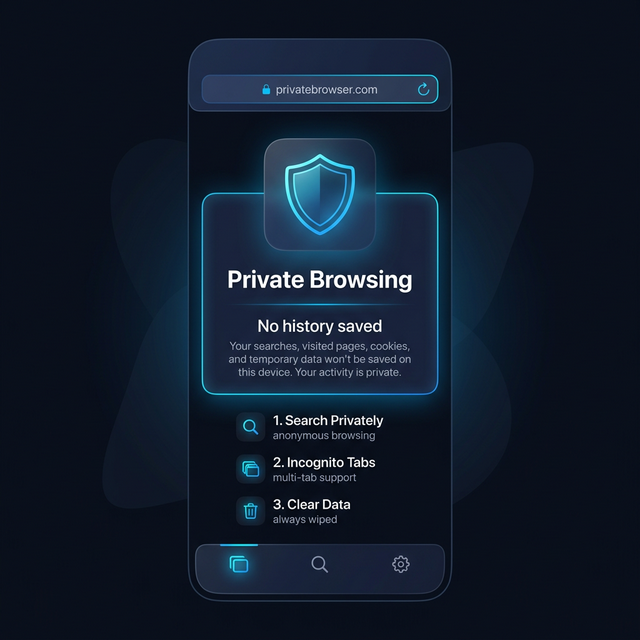
You open an incognito tab, search for something you would rather keep private, close the window, and feel like you have covered your tracks. Millions of people do exactly this every day. Most of them are wrong about what incognito mode actually does.
In 2024, Google settled a $5 billion class-action lawsuit — Brown v. Google — over what the company collected from users who believed they were browsing privately in Chrome’s incognito mode. The plaintiffs argued that Google misled users into thinking incognito meant private. Google agreed to delete billions of data records collected from incognito sessions.
Let that sink in. The world’s largest data company built its entire business on understanding user behavior, and it was collecting data from users who had specifically switched to the mode intended to prevent data collection. The lawsuit resulted in a settlement worth billions. The misunderstanding was that widespread.
If you think incognito protects your privacy, this article is for you.
What Incognito Mode Actually Does
Incognito mode is a local browser feature. It prevents your browser from saving certain information on your device after you close the window.
Here is the complete list of what incognito mode prevents:
- Your browser history on your device does not include incognito sessions
- Cookies from incognito sessions are deleted when you close the window
- Form data and passwords are not saved from incognito sessions
- Downloads are not logged in your browser’s download history (though the files themselves remain on your device)
That is the full list. Read it again. Notice what is not on it.
What Incognito Mode Does Not Hide
This is the part most people miss entirely.
Your Internet Service Provider Sees Everything
When you open an incognito tab and visit a website, your internet traffic travels from your device through your ISP’s network infrastructure to that website’s servers. Your ISP processes every packet of that traffic. Incognito mode does not encrypt your connection to the internet. It does not route your traffic through a different path. It does not change anything about how your data moves from your device to the internet.
Your ISP can see — and in many countries is legally required to log — the domains you visit, the timing of your browsing sessions, and the volume of data transferred. Incognito mode is invisible to them. From their perspective, incognito and regular browsing are identical.
In many countries, ISPs retain browsing logs for months or years. In the United States, ISPs can sell anonymized browsing data. In the UK, the Investigatory Powers Act requires ISPs to retain connection records. Incognito mode does nothing to affect any of this.
Your Employer’s Network Sees Everything
If you are browsing on your employer’s Wi-Fi network, their network infrastructure processes your traffic. Corporate networks often include DNS logging, traffic inspection, and content filtering systems. An IT administrator monitoring network traffic sees the same thing regardless of whether you are using incognito mode or not.
This applies to school networks, public Wi-Fi networks, and any other network you connect to that is not your own. The moment your traffic leaves your device and enters a network, the operator of that network has the technical capability to observe it.
Websites Track You Even Without Cookies
Here is where it gets technically interesting. Modern web tracking does not require cookies. Browser fingerprinting is a technique that identifies you based on a unique combination of characteristics your browser exposes to every website you visit — your screen resolution, installed fonts, browser version, operating system, time zone, language settings, WebGL renderer information, and dozens of other data points.
The combination of these characteristics forms a fingerprint that is often unique to a single device. This fingerprint is not stored on your device and is not cleared when you close an incognito window. Every time you open a new incognito session, your browser fingerprint is the same. Websites using fingerprinting technology can track you across incognito sessions without ever setting a single cookie.
Studies by privacy researchers have found that browser fingerprinting can identify a specific device with over 90% accuracy in many cases. You cannot clear your fingerprint by closing an incognito tab.
DNS Queries Are Still Logged
When you type a web address into your browser, your device sends a DNS query to a domain name server to resolve that address into an IP address. By default, these queries go to your ISP’s DNS servers and are unencrypted. They are visible to your ISP and to anyone who can observe your network traffic.
Incognito mode does not change how DNS resolution works. Your DNS queries in incognito mode are just as visible as your regular browsing DNS queries. Anyone observing at the network level sees the domains you are looking up.
Browser Extensions Have Access
Browser extensions installed in your regular profile are typically active in incognito windows by default in some browsers. Even in browsers where extensions are disabled in incognito by default, a user might have manually enabled a tracker or analytics extension that now observes their “private” browsing. Extensions that monitor browsing behavior have full visibility into incognito sessions unless specifically blocked.
Your Activity Is Logged at the Destination
Every website you visit logs access requests. Your IP address is recorded in server logs when you visit any website. Your IP address, even in an incognito tab, identifies your approximate location and is traceable to your ISP account. The website knows you visited, regardless of your local browser settings.
What Actually Happened in the Google Incognito Lawsuit
The Brown v. Google lawsuit, originally filed in 2020 and settled in 2024, alleged that Google collected detailed browsing data from users in Chrome’s incognito mode through Google Analytics, Google Ad Manager, and other tracking tools embedded in third-party websites.
The central problem was Chrome’s incognito disclosure. The browser displayed a message suggesting that incognito mode would keep activity “private,” leading many users to believe their data was not being collected. In reality, every website using Google’s analytics or advertising tools was still sending user behavior data to Google, even from incognito sessions.
The settlement required Google to delete approximately 5 billion data records collected from incognito sessions and to provide more honest disclosures about what incognito mode does and does not do. Google updated Chrome’s incognito screen to add language specifically noting that the user’s activity may still be visible to websites they visit and services they use.
This was not a minor technical misunderstanding. This was a systematic gap between user expectations and technical reality that affected millions of people’s meaningful privacy choices.
What a Real Private Browser Looks Like
A genuine private browser is architecturally different from incognito mode. The differences matter enormously.
No History Saved — At All
A real private browser does not save any browsing history anywhere. Not locally, not to an account, not to a sync service. The moment you close a session, the history is gone. This is different from incognito mode, which saves history during the session and clears it locally at the end — but which still leaves traces in network logs, server logs, and tracking infrastructure.
Isolated from the OS
The private browser inside Calculator Hide App operates within the encrypted vault environment. It is isolated from the device’s main operating system and from other applications. It does not share cookies, cache, storage, or browsing state with the device’s default browser. It does not appear in system-level browsing history. It does not contribute to the device’s app usage statistics.
No Cache Stored Outside the Vault
Web browsers cache resources — images, scripts, stylesheets — to speed up repeat visits. Normally, this cache lives on your device and can be inspected. The private browser inside Calculator Hide App stores any temporary cache within the encrypted vault. When you close the browser, that cache is cleared. No browsing artifacts remain accessible outside the vault.
Not Accessible Without Your PIN
This is the fundamental structural difference. Anyone who picks up your phone and opens your default browser can see your browsing history. If you left an incognito tab open, they can see what you were doing. The private browser inside Calculator Hide App is behind your vault PIN and biometric authentication. It is inaccessible without your correct credentials.
Even if your phone is unlocked on the table, your private browsing sessions are completely separate from your device’s main interface. Compare this to incognito mode, which is just a tab in your regular browser — one swipe away from view.
No Connection to Your Google or Apple Account
Your default browser is often linked to your Google account (Chrome) or your Apple account (Safari). This means browsing activity, including incognito activity in some cases, may be associated with your account and synced across devices. The private browser inside Calculator Hide App has no such account association. It is a standalone, unlinked browsing environment.
For a broader comparison between private browser tools and the standard incognito experience, the article on mobile privacy in 2026 provides additional context about the current state of browser-level privacy protections.
When Incognito Is Enough — And When It Is Not
Incognito mode is not completely useless. It solves a specific, limited problem: preventing your browsing history from being stored on your device. There are situations where that is genuinely useful.
If you are shopping for a surprise gift on a shared device and do not want the gift showing up in browser history or autocomplete suggestions, incognito is a reasonable tool for that purpose. If you are using a public or borrowed computer and want to make sure you are not saving passwords or history, incognito is appropriate.
The problem is when people extend incognito mode’s use to scenarios it was never designed for. Researching sensitive medical information. Looking up content related to personal safety or domestic situations. Conducting research that you would prefer employers or authorities not see. Using banking or financial services on untrusted networks.
For these use cases, incognito mode is insufficient. The gap between what it does and what people believe it does is not a minor technical detail — it is a meaningful gap in privacy protection.
The right tool depends on your specific threat model. If you are worried about someone with physical access to your device seeing your history, incognito (or better, a private browser in a vault) addresses that. If you are worried about network-level surveillance, you need a VPN or Tor alongside encrypted browsing. If you are worried about website tracking, you need tracker-blocking and anti-fingerprinting tools. If you need all of this, a dedicated private browser inside an encrypted vault is a strong foundation.
The Private Browser Inside Calculator Hide App
Calculator Hide App includes a built-in private browser as part of the vault feature set. Here is how it differs from incognito mode in practice.
The browser opens within the Calculator Hide App vault environment. To reach it, you need your PIN or biometric authentication. To anyone looking at your phone, there is no browser open — just a calculator app.
Inside the browser, your sessions generate no history that persists after closing. No cache is stored outside the encrypted vault. No cookies carry over between sessions. The browser has no link to your Google, Apple, or other account credentials.
When you close the browser and lock the vault, the session is over in every meaningful sense. No traces remain on your device outside the encrypted vault. Forensic tools that scan your device for browser artifacts would find nothing from your private browser sessions.
This is what genuine browser privacy looks like. It is structurally different from incognito mode, not just a renamed version of the same thing.
To understand the broader privacy protections that complement the private browser, the article on how vault apps work covers the full system architecture in accessible terms. And if you are specifically wondering whether your device’s gallery app or standard browser leaks information you did not expect, the article on whether your gallery app is private is worth reading.
The Bigger Picture on Browser Privacy
The Google incognito lawsuit settlement is not just a legal footnote. It is evidence that the gap between user privacy expectations and technical reality is large enough to cost a company billions of dollars and generate class-action litigation.
This gap exists because privacy is complicated, the marketing language around privacy features is often misleading, and users reasonably extend more trust to “private mode” than the technology deserves.
The solution is not cynicism — it is accurate information. Know what your tools actually do. Know what they cannot do. Choose tools that match your actual privacy needs rather than tools that make you feel private while leaving your data exposed.
Incognito mode is a thin privacy tool that solves a narrow problem. A private browser inside an encrypted vault is a thick privacy tool that addresses a much wider range of threats. For most people with meaningful privacy needs, the difference is significant.
Understanding the distinction is the first step. Using the right tool is the second.
Frequently Asked Questions
Does incognito mode hide my browsing from my internet service provider?
No. Incognito mode is a purely local feature that prevents your browser from saving history on your device. Your internet service provider processes every request your device makes, regardless of browser mode. Your ISP can see which domains you visit, when you visit them, and how much data is transferred — in incognito mode exactly as in regular mode. ISP-level privacy requires a VPN with a no-logs policy or Tor, not incognito mode.
Can websites track me in incognito mode?
Yes, through multiple mechanisms. Browser fingerprinting creates a unique identifier from your device characteristics that persists across incognito sessions. IP address tracking identifies your device at the network level. Third-party tracking scripts embedded in websites — including Google Analytics and advertising tags — collect behavioral data in incognito mode just as in regular mode. The 2024 Google incognito lawsuit settlement explicitly documented this data collection happening at scale.
What did the Google incognito mode lawsuit actually find?
The Brown v. Google lawsuit, settled in 2024, found that Google collected user browsing data from Chrome’s incognito mode through its analytics and advertising tools embedded in third-party websites. Users reasonably believed incognito mode protected their data from collection. The settlement required Google to delete approximately 5 billion records collected from incognito sessions and to update its disclosures to more clearly explain incognito mode’s limitations.
Is a VPN the same as a private browser?
No. A VPN encrypts your traffic between your device and the VPN server, hiding your activity from your ISP and local network. It does not prevent websites from tracking you via fingerprinting, and your activity is visible to the VPN provider. A private browser inside an encrypted vault protects your local browsing history and makes sessions inaccessible without a PIN — but without a VPN, network-level surveillance is still possible. The two tools address different parts of the privacy problem.
How is the private browser in Calculator Hide App different from Chrome incognito?
Several fundamental ways. Chrome incognito is a tab in your regular browser — visible on your device, accessible to anyone who has your phone unlocked. Calculator Hide App’s private browser is inside an encrypted vault, requiring a PIN to access. Chrome incognito deletes local history when you close the window but still exposes your activity to networks, ISPs, and tracking tools. The Calculator Hide App private browser leaves no accessible browsing artifacts outside the encrypted vault and is not linked to any Google or Apple account.
Does closing an incognito tab really delete everything?
It deletes local browser history, cookies, and session data on your device. It does not delete server logs at the websites you visited, ISP logs of your DNS queries and connection metadata, network logs from your router or employer’s infrastructure, or tracking data collected by third-party scripts. The data generated by your browsing session is distributed across many systems. Incognito mode only controls the local portion — which is one small part of the total record.
Can my employer see what I browse in incognito mode on company Wi-Fi?
Yes. Corporate network infrastructure can log DNS queries, traffic metadata, and in many cases actual traffic content depending on the tools deployed. Incognito mode has no effect on network-level monitoring. If you are on a corporate device, additional endpoint monitoring software may log all browser activity regardless of mode. Assume that any browsing on a corporate network or device is potentially visible to your employer’s IT team, incognito or not.
What is browser fingerprinting and why does it bypass incognito?
Browser fingerprinting identifies your device by collecting a set of characteristics your browser automatically exposes to every website — screen resolution, fonts, browser version, OS, time zone, graphics capabilities, language settings, and more. The unique combination of these characteristics creates a “fingerprint.” This fingerprint is not stored as a cookie and is not affected by clearing cookies or using incognito mode. It is derived from your device and browser on every visit. Websites using fingerprinting can link your incognito visits to your regular browsing profile.
Is Calculator Hide App’s private browser sufficient for all privacy needs?
The private browser inside Calculator Hide App addresses local privacy — no browsing history stored outside the encrypted vault, no accessible session data without your PIN, full isolation from your device’s main OS. It does not by itself address network-level surveillance. For comprehensive privacy covering both local and network dimensions, combining the private browser with a reputable VPN service provides stronger overall protection. For most users’ everyday private browsing needs, the vault private browser is significantly stronger than incognito mode.
Why do so many people misunderstand what incognito mode does?
The name itself is part of the problem. “Incognito,” “private,” and “InPrivate” (Microsoft’s term) all imply a level of privacy that the technical implementation does not deliver. Browser interfaces for these modes often show imagery suggesting invisibility or privacy — a hat and glasses icon, a ghost — that reinforces the misperception. Users reasonably infer from the branding that their activity is private from all observers. The reality is that the feature only controls local device history. The gap between the branding and the technical reality is what the Google lawsuit documented at scale.
The private browser inside Calculator Hide App does what incognito mode never could — it keeps your browsing genuinely inaccessible, isolated inside an encrypted vault that nobody can open without your credentials. Download Calculator Hide App and browse with real privacy rather than the appearance of it.