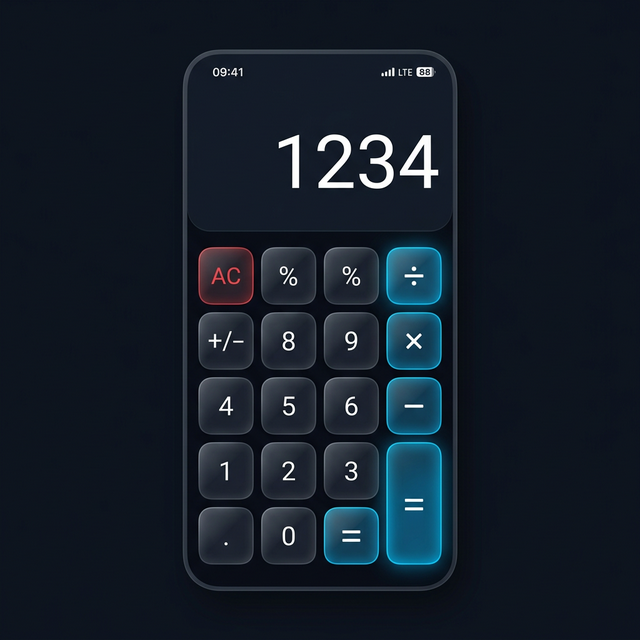
Picture this. You left your phone on the nightstand before falling asleep. Your partner, a curious roommate, or a family member picks it up. They notice the calculator app and, on a hunch, start entering PINs trying to get in. They try your birthday. They try “1234.” They try your anniversary. Three wrong guesses, and your phone goes quietly back to the table.
You wake up, open your vault app, and there it is. A crisp photo taken by the front camera, timestamped at 2:14 AM, with the GPS coordinates of your bedroom. The face of the person who tried to break in stares back at you from your own locked vault.
That is the intruder selfie feature. And once you understand how it works, you will never want a vault app without it.
What Is the Intruder Selfie Feature?
The intruder selfie feature is an automatic security mechanism built into Calculator Hide App. When someone enters the wrong PIN a specified number of times, the app silently activates the front-facing camera, captures a photo of whoever is holding the phone, logs the timestamp and GPS location of the attempt, and stores that photo in a protected section of your vault. The person attempting access has no idea any of this happened.
No flash. No shutter sound. No notification that a photo was taken.
The result is a timestamped, geotagged record of every unauthorized access attempt — captured without alerting the intruder.
This might sound like something from a spy thriller, but the technology behind it is straightforward, and its implications for personal privacy are profound.
How It Works Technically
Understanding the mechanics helps you trust the feature. Here is exactly what happens under the hood.
The PIN Failure Trigger
Calculator Hide App monitors PIN entry in real time. You can configure the threshold — typically after two or three incorrect attempts, the system flags the event as a potential intrusion. That threshold trigger initiates a background process.
The number of failed attempts before the photo is taken is deliberate. One wrong entry could be a genuine mistake. Multiple wrong entries follow a pattern consistent with someone systematically trying to guess your code.
Silent Camera Activation via OS API
Every modern smartphone operating system — both Android and iOS — exposes camera APIs to third-party applications. These APIs allow apps to take photos without the standard camera interface being visible to the user. Calculator Hide App uses these APIs to activate the front-facing camera in a non-interactive mode.
On Android, this is handled through the CameraX API or the older Camera2 API, both of which support background capture without launching a visible camera preview. On iOS, AVFoundation provides equivalent functionality. Neither platform requires the camera viewfinder to be displayed to the user while a capture is made.
The app requests camera permissions during initial setup — just as any camera-enabled app does. The difference is that Calculator Hide App uses that permission defensively, triggered only by suspicious behavior.
Metadata Collection
Alongside the photo, the app records three critical data points. First, the exact date and time of the attempt, pulled from the device clock. Second, the GPS coordinates at the moment of capture, if location services are enabled and available. Third, the number of failed PIN attempts made during that session.
This metadata transforms a simple photo into forensic evidence. You are not just seeing a face — you are seeing when, where, and how many times someone tried to access your files.
Secure Storage in a Locked Section
The captured photo and its metadata are stored in a dedicated section of your vault that is separate from your regular private files. This section requires your correct PIN to access. The intruder cannot see the photo that was taken of them, cannot delete it, and has no indication it was captured.
Your real vault, the one containing your private photos and files, remains separate from this intruder log. The security photo section is essentially a vault within the vault.
The Psychology of Deterrence
Beyond the technical mechanics, there is a compelling psychological dimension to this feature.
Most privacy violations are not sophisticated attacks by hackers. They are opportunistic intrusions by people who are close to you — a partner checking your messages, a sibling looking at your photos, a friend scrolling through your gallery when you hand them your phone. These violations are casual precisely because there are no consequences.
The intruder selfie feature changes that calculus entirely.
Consider the shift in behavior when someone knows — or even suspects — that a failed attempt will produce photographic evidence. The act of snooping is no longer anonymous. It is no longer risk-free. The knowledge that a vault app might photograph unauthorized access attempts creates genuine hesitation before that first wrong PIN entry.
This deterrent effect extends beyond the specific people in your life. It applies to stolen phones. If your phone is stolen and the thief attempts to access your vault, you get a photo of them. If you recover your phone, you have evidence. If you report the theft to authorities, you have documentation.
Deterrence works because consequences are now real.
Is This Legal? The Privacy Ethics Question
This is the question that deserves a direct, honest answer.
The person trying to access your vault is attempting to breach your privacy. They are doing so without your knowledge or consent. When the app photographs them, it is doing so on your device, in response to their unauthorized behavior, in a space they have no right to access.
In most jurisdictions, you have a broad right to capture images on your own device of activity occurring on that device. You are not conducting surveillance in a public space or on another person’s property. You are documenting an intrusion into your own private space.
That said, laws vary by country and state. In some jurisdictions, consent laws around photography are stricter. The legal landscape around this specific use case is not uniform globally, and it is worth understanding the laws in your area.
From a moral standpoint, the ethics are clearer. Someone attempting to access your private files without permission is acting in bad faith. Documenting that act is a proportionate defensive response. The intruder selfie feature does not harm the person attempting access. It simply records what they are doing.
Compare this to the alternative. Without this feature, you would never know your vault had been targeted. You would have no record of the attempt. The person who tried to breach your privacy would face zero accountability. That outcome benefits only the intruder.
How Different Apps Implement This Feature
Not every vault app with an “intruder selfie” feature implements it equally well. The differences matter.
Basic Implementations
Some apps trigger the camera after a single wrong PIN entry. This produces a high volume of false positives — your own accidental mistype now floods your intruder log with photos of yourself. Other apps store intruder photos in the standard device gallery, which defeats the purpose entirely. If the intruder gets into your phone through another route, they can simply delete the evidence.
Better Implementations
Better implementations, including Calculator Hide App, store captured photos in the encrypted vault itself. The photos are inaccessible without the correct PIN. They remain encrypted alongside your other private files. The intruder log is tamper-resistant.
The configurable threshold for failed attempts is another differentiator. Two to three failures before capture is the sweet spot — it accounts for genuine mistakes while still catching determined snoopers.
Metadata Quality
The richest implementations include GPS data alongside the timestamp. A photo of someone at 3 AM means more when it includes location coordinates confirming they were in your home office at that moment. Apps that capture photo-only without metadata give you less to work with.
Calculator Hide App’s implementation captures the full picture — literally and figuratively. To learn more about the complete security architecture, visit the features overview on the homepage.
Real-World Scenarios Where This Feature Matters
Let’s ground this in situations that actually happen.
The Curious Partner
Relationship dynamics sometimes involve one partner who does not respect the other’s privacy. Private medical information, personal journals, therapy notes, photos from before the relationship — these deserve to remain private. A partner who repeatedly tries wrong PINs to access your vault is engaging in a specific kind of boundary violation. The intruder selfie feature documents it. Whether you use that documentation in a conversation or keep it to yourself, you now have information you did not have before.
The Stolen Phone
Phone theft is common in most urban areas. When a phone is stolen, the thief’s first impulse is often to access the apps and data on it. If they target your vault, they get photographed. You potentially have a cleaner path to identifying and recovering your property.
The Workplace or School Context
Phones left on desks get picked up. Colleagues, classmates, or roommates might be curious about what is on your phone. A single wrong PIN attempt photographs them. Most people will never know this happened. You will.
Border Control and Customs
This scenario is more complex. In some countries, authorities have broad powers to demand access to devices at border crossings. If an official attempts to access your vault and enters incorrect PINs, the intruder selfie feature would photograph them. The legal implications of this vary enormously by jurisdiction, and it is worth thinking through how you want to handle border crossing scenarios specifically — including whether to use the decoy vault feature in those situations.
Setting Up the Feature for the First Time
If you have not yet enabled intruder detection, see our step-by-step guide on how to enable the intruder selfie feature for the specific configuration steps across different app versions.
Setting Up the Feature Correctly
Getting the most from the intruder selfie feature requires a few deliberate configuration choices.
First, enable location services for Calculator Hide App. Without GPS access, you get a photo but no location data. Location data significantly increases the value of captured evidence.
Second, set the PIN failure threshold thoughtfully. Two failed attempts is usually the right call. One is too sensitive. Three or more gives a determined snooper too many free guesses before the camera activates.
Third, check your intruder log periodically. The log does not alert you when a photo is captured — by design, alerts could reveal the feature’s existence to someone using your phone nearby. Make it a habit to review the log occasionally so you do not miss recent activity.
Fourth, make sure your vault has enough storage headroom for intruder photos. These are not large files, but if your vault storage is at capacity, captured photos may fail to save.
The Feature in Context of the Full Security System
The intruder selfie feature works best as part of a layered security approach. It is one component of the Calculator Hide App security architecture, not a standalone solution.
Your first line of defense is the disguise itself. The app looks like a calculator, and most people will never suspect it contains a vault. The intruder selfie feature only activates if someone already suspects the app and is actively trying to breach it.
Your second line of defense is the PIN and biometric authentication. AES-256 encryption means that even if someone gets past the disguise, they cannot access your files without the correct credentials. You can read more about how AES-256 encryption works to understand why the encryption layer is so powerful.
Your third line of defense is the decoy vault. If coerced into revealing a PIN, you can provide the secondary PIN that opens a convincing but empty fake vault.
The intruder selfie feature sits alongside these defenses. It documents intrusion attempts after the disguise has been discovered. It creates accountability where none existed before. And it provides you with information — who, when, where — that helps you make better decisions about your safety and privacy.
For a full walkthrough of how vault apps use layered security, the article on how vault apps work is worth reading.
Why This Feature Changes Everything
Privacy tools usually operate invisibly. You set them up, they work in the background, and you never interact with them unless you need to. The intruder selfie feature adds something that most privacy tools lack: feedback.
You learn that someone tried. You see their face. You have a record. You are no longer in the dark about threats to your privacy — you have documentation of them.
That shift from passive protection to active awareness is what makes this feature genuinely different from everything else in the privacy app space. Most apps tell you that your files are safe. Calculator Hide App shows you who tried to access them and failed.
Privacy is not just about keeping your files locked. It is about knowing your boundaries are being respected — and knowing when they are not.
Frequently Asked Questions
Does the intruder selfie feature alert the person being photographed?
No. The photo is taken silently using the front camera without any flash, shutter sound, or on-screen indication. The person attempting access has no idea a photo was captured. This is deliberate — any notification would defeat the purpose. The photo is stored directly in your encrypted vault, visible only to you after entering the correct PIN.
What happens if I accidentally enter my own PIN wrong?
If you enter the wrong PIN, the app may photograph you depending on how many failed attempts trigger the feature. Most implementations, including Calculator Hide App, require two or more failed attempts before activating the camera. A single mistype typically does not trigger the intruder selfie. You will just see a photo of yourself in your intruder log, which you can review and ignore.
Are the intruder photos stored outside my vault?
No. Intruder photos are stored inside an encrypted section of your vault. They never appear in your device’s standard photo gallery. They are not accessible to anyone who does not have your correct PIN. This is critical — storing evidence insecurely would make it easy for the intruder to destroy it.
Does this feature work if my phone is stolen?
Yes. If a thief attempts to access your vault after stealing your phone, the intruder selfie feature activates just as it would normally. You would need to either recover your phone or access your encrypted backup to retrieve the captured photos. The feature provides useful evidence, but recovery of stolen devices ultimately involves law enforcement and varies by situation.
Can I disable the intruder selfie feature if I do not want it?
Yes. The feature is configurable within Calculator Hide App’s settings. You can disable it entirely or adjust the threshold of failed attempts before it activates. However, there are few good reasons to disable it — it works silently and poses no inconvenience during normal use.
What data is captured alongside the photo?
Calculator Hide App captures the date and time of the intrusion attempt, GPS coordinates (if location services are enabled), and the number of failed PIN attempts in that session. This metadata is stored alongside the photo in your encrypted vault. The combination of photo plus metadata creates a meaningful record rather than just a decontextualized image.
Is this feature legal in my country?
Laws around photography and surveillance vary significantly by jurisdiction. In most countries, photographing activity occurring on your own device is legal, particularly when it constitutes a response to unauthorized access attempts. However, laws in some regions are stricter. If you have concerns, review the relevant laws in your country or state before enabling the feature. The help center can point you toward more specific guidance.
How much storage do intruder photos use?
Individual intruder photos are standard front-camera image files, typically between 1 MB and 4 MB depending on your device. Unless your vault is receiving dozens of intrusion attempts, storage consumption is minimal. If storage is a concern, you can periodically review and clear old intruder log entries from within the app.
Does the app tell me immediately when an intrusion attempt occurs?
The app does not send push notifications for intruder selfie captures by default. This is a deliberate design choice — a notification could reveal that the feature exists if someone is watching your phone’s notification shade. Instead, you can check your intruder log manually at any time by opening your vault with the correct PIN.
How is Calculator Hide App’s implementation different from other vault apps?
Many vault apps advertise intruder selfie features but store captured photos insecurely or use basic implementations without metadata. Calculator Hide App stores intruder photos inside your encrypted vault with full timestamp and GPS data. The configurable threshold minimizes false positives from your own mistypes. The overall implementation is designed to work as genuine security evidence rather than a novelty feature.
Ready to put the intruder selfie feature to work? Download Calculator Hide App free on Android and iOS and know exactly who tries to get into your private files.