You are at an international border crossing. An official asks to see your phone. You know you have every legal right to decline, but you also know that declining means hours of delay, a secondary inspection room, and a missed flight. So you hand over the phone.
The official asks for the PIN to your vault app.
What do you do?
This scenario is not hypothetical. It happens to journalists, lawyers, activists, business travelers, and ordinary people every day at border crossings in dozens of countries. It happens in domestic situations too — a controlling partner demanding access, a parent insisting on seeing “everything,” a situation where social pressure or something more threatening is used to compel you to unlock your phone.
The decoy vault was built for exactly this moment.
What Is a Decoy Vault?
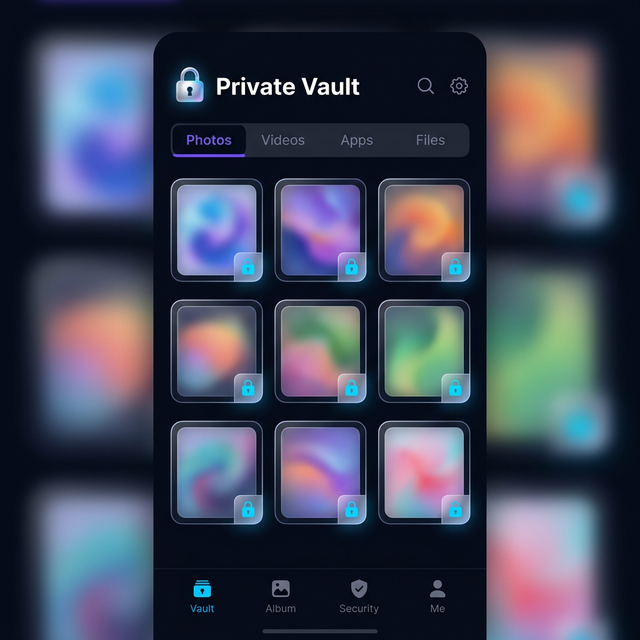
A decoy vault is a secondary vault that opens when you enter a different PIN than your real one. From the outside, it looks exactly like your real vault. From the inside, it contains whatever you chose to put there — typically harmless, convincingly ordinary content.
Your real vault, protected by your primary PIN, remains completely hidden. The person compelling you to unlock sees only the decoy. They have no way to tell the difference between the decoy vault and the real thing. To them, they have successfully forced access to your private files. What they are actually seeing is a performance.
This concept has a name in security circles: plausible deniability. The idea is that you can truthfully say “this is my vault” while showing only the content you choose to reveal.
Calculator Hide App implements this as a core feature, not an add-on. You set a primary PIN that opens your real vault and a secondary PIN that opens the decoy. The app looks identical in both cases. The contents are entirely different.
Why This Feature Exists
Understanding why the decoy vault exists requires being honest about some uncomfortable realities.
Coercive Unlocking
Some situations involve genuine coercion. In certain authoritarian jurisdictions, authorities routinely demand access to personal devices with varying degrees of legal backing. In some relationships, one person exercises controlling or abusive behavior over another’s digital privacy. In some professional contexts — investigations, litigation, employment disputes — devices may be subject to inspection with limited ability to refuse.
In each of these situations, a normal vault app fails. If you have a single vault with a single PIN, coercion produces access. End of story.
The decoy vault is specifically designed to function under coercion. You give up a PIN under pressure, the other party sees a vault, they are satisfied, your real content remains protected. This is not deception in the harmful sense — it is a proportionate response to an illegitimate demand.
Relationship Privacy
Not every scenario involves authorities or legal proceedings. Sometimes the pressure is personal. A partner who insists on seeing your phone. A family member who demands proof you are not hiding anything. These situations are real, they are common, and they create genuine privacy dilemmas.
You have the right to private space, including digital private space. That right does not disappear because someone in your life is demanding access. The decoy vault gives you a way to de-escalate these situations without sacrificing the privacy that matters most to you.
Theft and Opportunistic Access
A thief who steals your phone might resort to other means to extract your PIN — social engineering, threats, or simply coercing you in the moment if the theft occurred in your presence. A decoy vault means that even if they successfully pressure you into revealing a PIN, they do not access your real private content.
Setting Up Your Decoy Vault Step by Step
Let’s walk through the actual setup process in Calculator Hide App.
Step 1: Access Vault Security Settings
Open Calculator Hide App using your normal PIN. Navigate to the Settings or Security section within the app. You are looking for an option labeled “Decoy Vault,” “Secondary PIN,” or “Privacy Mode” depending on your version of the app.
If you cannot locate this option, visit the help center for version-specific guidance on where to find decoy vault settings.
Step 2: Create Your Secondary PIN
Set a secondary PIN that is entirely different from your real vault PIN. This is critical. The secondary PIN should:
- Be completely different from your primary PIN — not a variation or reversal of it
- Be something you can remember reliably under pressure
- Look plausible as a real PIN — avoid obviously pattern-based codes like “0000” that would look suspicious
Do not use your primary PIN with one digit changed. Anyone watching your vault behavior carefully might notice the similarity. Create an entirely separate code.
Step 3: Set Up the Decoy Content
This is where most people underinvest. An empty decoy vault is not convincing. A decoy vault with three random stock photos and nothing else is not convincing. A decoy vault needs to look like someone actually uses it.
Here is what to put in your decoy vault:
A reasonable number of photos. Import 20 to 40 photos that are genuinely harmless — travel pictures, food photos, landscape shots, family photos taken at public events. Not stock images. Real photos from your camera roll that you would have no reason to hide.
A few mundane personal photos. A photo of your car, your pet, a work ID photo, a screenshot of a receipt or a ticket confirmation. These small details add texture and plausibility.
Nothing that contradicts your story. If you say “I just use this for personal photos,” do not include business documents in the decoy. The content should be consistent with whatever explanation you would give for why the vault exists.
The decoy vault does not need to contain an enormous amount of content. It needs to look lived-in. A curated collection of 30 to 50 files that feel genuinely personal is more convincing than 200 files that look like they were dumped there for the sake of filling space.
Step 4: Test Your Setup
Before you are in a high-pressure situation, test the decoy vault thoroughly.
Close the app completely. Re-open it by entering your secondary PIN. Verify that the decoy vault opens, not your real vault. Browse through the decoy content and confirm it looks convincing. Check that switching from decoy to real vault requires knowing your primary PIN.
The test phase is where most problems surface. Better to discover configuration issues in a relaxed setting than to discover them when you actually need the feature to work.
Step 5: Maintain the Decoy Over Time
This is the step people most consistently skip. A decoy vault set up in 2024 and never touched looks stale in 2026. File dates are visible metadata. A collection of photos all dated to the same week several years ago looks suspicious.
Add photos to your decoy vault occasionally. Remove some old ones. Keep the content fresh and consistent with how someone actually uses a photo vault. This is a small time investment — ten minutes every few months — with a significant payoff in plausibility.
How to Make Your Decoy Look Genuinely Plausible
Plausibility is the entire value proposition of the decoy vault. Here is a deeper look at what makes a decoy convincing versus what makes it obviously fake.
Content Diversity
Real vaults contain a mix of content types. Photos from different occasions, different lighting conditions, different times of year. Screenshots. Maybe a short video clip or two. A decoy that contains only perfectly composed vacation photos from a single trip is weaker than one that includes random everyday photos — a blurry shot of your dog, a grocery list photographed for reference, a photo of your car’s tire to send to a mechanic.
The randomness and imperfection of real personal content is actually your asset here. Embrace it.
Plausible File Dates
Forensically, file metadata includes creation and modification dates. If someone is inspecting your vault carefully, consistent file dates that cluster oddly are a flag. When you set up your decoy, use photos that have realistic date distribution spanning months or years.
If you are importing photos specifically for the decoy, check that their metadata dates reflect when they were originally taken, not when they were imported into the vault.
Consistency with Your Explanation
If you have a cover story for why you use a vault app — “I just like having a separate space for personal photos away from my main gallery” — your decoy content should support that story. The photos should be the type of photos someone with that motivation would store. They should not include content that raises new questions.
Real-World Scenarios and How the Decoy Handles Them
Let’s walk through specific scenarios to see how the decoy vault performs in practice.
Customs and Border Control
You are traveling internationally, and a border agent in a country with expansive digital search authority asks to inspect your phone. They ask specifically about the vault app. You provide the secondary PIN. The agent sees a vault containing what appears to be personal travel photos and everyday snapshots. They scroll through briefly, find nothing unusual, and move on.
Your real content — personal correspondence, professional documents, private photos — was never visible. You did not lie about having a vault. You handed over exactly what you had: a vault.
For more on how to protect your privacy while traveling, see the article on protecting private files while traveling.
Relationship Pressure
A partner demands to see your phone. You hand it over and enter your secondary PIN. They see personal photos, nothing alarming, and the conversation ends. Your private correspondence, personal journal entries, and sensitive photos remain behind your primary PIN.
This scenario requires careful judgment. The decoy vault is a tool for protecting legitimate privacy. It is worth separating the question of what you are protecting from the broader dynamics of the relationship. But as a pure privacy mechanism, the decoy handles this scenario exactly as designed.
Device Inspection at Work
In some industries, employers conduct routine or cause-based device inspections on company-issued or BYOD devices. If you use Calculator Hide App on a personal device, and that device becomes subject to inspection, the decoy vault means workplace inspection of your personal vault app reveals only what you are comfortable revealing.
If your device is company-issued and subject to MDM policies, the situation is more complex. Review your company’s device policy before using a vault app on company hardware.
The Legal and Ethical Dimensions
Using a decoy vault is legally and ethically defensible in most circumstances, but it deserves a clear-eyed examination.
Legality
In most jurisdictions, there is no law against having a vault with a secondary PIN that opens to different content. You are not perjuring yourself by handing over a PIN. You are not destroying evidence — you are providing access to a real vault with real content. The existence of another vault behind a different PIN is your private information.
That said, if you are under a valid legal order to produce specific files, using a decoy vault to avoid compliance could constitute obstruction or contempt. The decoy vault is a defensive privacy tool, not a tool for evading legitimate legal process. Use it accordingly.
Ethics
The ethical case for the decoy vault rests on a simple premise. Privacy is a legitimate right. Tools that protect privacy against coercive or illegitimate pressure are ethically justified. The decoy vault does not harm the person you use it against — it simply limits what they can see. The analogy is showing someone a portfolio of your non-sensitive work when they demand to see your files, while keeping your most personal documents private.
The ethics shift if the decoy vault is used to conceal genuinely harmful content or to obstruct legitimate processes. Context matters. For the vast majority of users, the decoy vault is a proportionate and ethical response to real privacy threats.
The Decoy Vault as Part of Your Layered Security
The decoy vault is not a substitute for the rest of Calculator Hide App’s security features. It is one layer in a multi-layer system.
Your first layer is the calculator disguise — most people will never know the vault exists. Your second layer is AES-256 encryption and PIN plus biometric authentication — even if someone discovers the app, they cannot access your files without the correct credentials. You can read more about biometric vs. PIN authentication to understand the relative strengths of each. If you want to take the multiple-vault concept further, our guide on running multiple vaults with different PINs covers advanced configurations.
Your third layer is the intruder selfie feature — if someone attempts to guess your PIN, you get a photo of them. Read the full breakdown of the intruder selfie feature to see how it works.
The decoy vault is your fourth layer — the contingency for the scenario where someone successfully coerces you into providing a PIN. Even at that point, your real content is protected.
Layered security means that each individual layer does not need to be perfect. Together they create a system that is genuinely robust.
Common Mistakes People Make with Decoy Vaults
After understanding the setup and theory, avoid these practical mistakes.
Using a too-simple secondary PIN. “0000” or “1111” as your decoy PIN is immediately suspicious. Use a real-looking four to six digit code.
Leaving the decoy vault empty. An empty vault is obviously a decoy. Add content before you ever need to use it.
Forgetting which PIN is which. Under pressure, you do not want to accidentally open your real vault when you meant to open the decoy. Test both PINs regularly so the distinction is habitual.
Never updating the decoy content. Static, stale content is a red flag. Keep the decoy fresh.
Talking about the decoy vault. The decoy vault’s effectiveness depends on the other party not knowing it exists. Do not tell people that your vault app has a decoy feature, even people you trust. The feature protects you only if it is unexpected.
Frequently Asked Questions
What is the main purpose of a decoy vault?
The decoy vault exists for situations where you are coerced or pressured into revealing your vault PIN. By providing the secondary PIN, you give access to a convincing but harmless collection of files while your real private content remains protected behind your primary PIN. It is a privacy tool for high-pressure scenarios where refusing access is not practically possible, such as certain border crossing situations or relationship dynamics involving controlling behavior.
Can anyone tell the difference between my real vault and the decoy vault?
From the interface, no. Both vaults look identical in Calculator Hide App — same app, same layout, same appearance. The only difference is the contents. If someone carefully inspects file metadata, dates, or volumes of content, a poorly constructed decoy could raise questions. This is why investing time in making the decoy look genuinely lived-in is so important. A well-maintained decoy is functionally indistinguishable from a real vault.
What should I put in my decoy vault?
Add 30 to 50 genuinely personal but harmless files. Real photos from your camera roll — travel pictures, photos of friends, everyday snapshots. A few screenshots. Maybe a short video clip. The content should have realistic metadata dates spanning months or years, not all created on the same day. It should be consistent with whatever story you would tell about why you use a vault app. Avoid stock images, avoid obviously staged content, and avoid anything that raises new questions.
Is using a decoy vault legal?
In most jurisdictions, yes. Having a secondary PIN that opens to different content is not illegal. You are not destroying evidence or committing fraud simply by having multiple PINs. The legal line is crossed if you use the decoy vault to obstruct a legitimate legal process or court order requiring specific files. For everyday privacy protection against customs, personal pressure, or opportunistic access, the decoy vault is legally defensible in most countries. When in doubt, consult a lawyer familiar with digital privacy law in your jurisdiction.
Does the decoy vault affect my real vault’s security?
No. Your real vault remains fully protected by your primary PIN and AES-256 encryption regardless of whether the decoy vault is enabled. Enabling the decoy vault feature simply creates a second entry point that opens a different set of files. The real vault’s encryption and access controls are completely independent.
How do I remember which PIN opens which vault?
The simplest approach is a clear mental distinction. Make your secondary (decoy) PIN something you associate with “public” or “safe to show” content, and your primary PIN something you associate with “private” content. Some people use a mnemonic that maps the PIN to its purpose. Test both PINs regularly — not just when you set them up — so the distinction becomes automatic rather than something you have to think about under pressure.
Can I use biometric access for the decoy vault?
This depends on your app configuration. Generally, biometric authentication (fingerprint or Face ID) maps to your primary vault for convenience. The decoy vault is typically accessed only by PIN, which is appropriate — the whole point of the decoy is having a separate credential to provide under pressure. Check Calculator Hide App’s specific biometric configuration settings if you want to customize this behavior.
What if someone knows about the decoy vault feature and demands I prove which vault is real?
If someone is specifically familiar with the decoy vault concept and is determined to identify which vault is real, the feature provides weaker protection. This is a genuine limitation. The decoy vault’s effectiveness depends partly on the other party not knowing the feature exists. Against a sophisticated adversary who is specifically testing for decoy vaults, you need additional security measures. For most real-world scenarios — border crossings, relationship pressure, opportunistic access — this level of sophistication is rare.
Should I keep the decoy vault feature enabled all the time?
Yes. The decoy vault adds no friction to normal use — entering your primary PIN works exactly as before. The only overhead is occasionally updating the decoy content to keep it fresh. Keeping it enabled means you are always prepared for an unexpected pressure situation. Disabling and re-enabling it on demand is less reliable because you might not anticipate when you need it.
Where is the decoy vault configuration in Calculator Hide App?
Access your vault with your primary PIN, go to Settings, and look for Privacy Mode, Security Settings, or Decoy Vault depending on your app version. If you cannot locate it, the help center has step-by-step screenshots for the current version. You can also reach the support team through the contact page for version-specific assistance.
Privacy is not just about locking files. It is about having options when pressure is applied. The decoy vault is the option most people never think to set up — until they need it. Download Calculator Hide App and configure your decoy vault before the moment you actually need it arrives.