Most people think hiding WhatsApp means deleting it or locking it with a screen lock. Neither gives you real privacy. A screen lock can be bypassed by anyone who knows your PIN. Deleting the app means losing your messages.
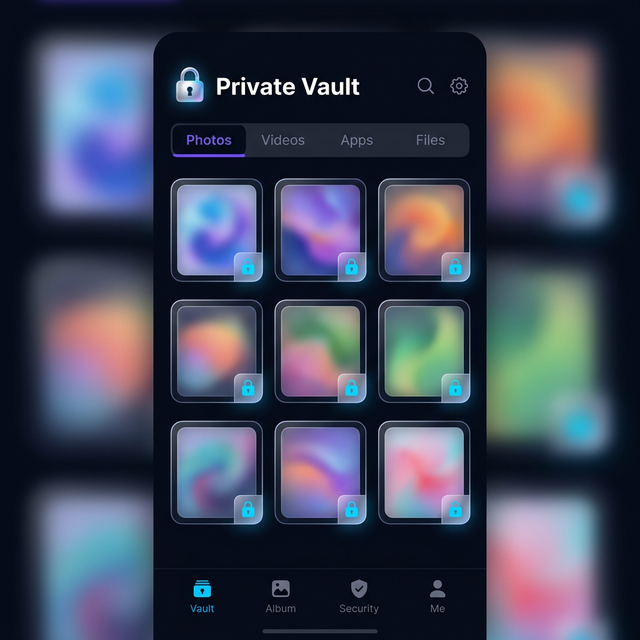
Calculator Hide App takes a different approach: it moves WhatsApp entirely behind an encrypted vault disguised as a working calculator. The app disappears from your home screen, your app drawer, and your recent apps list. Nobody knows it’s there.
What “Hiding WhatsApp” Actually Means
When you hide WhatsApp using Calculator Hide App’s app hider feature, the app is removed from your home screen and app drawer. It can only be accessed by opening Calculator Hide App, entering your PIN on the calculator keypad, and launching WhatsApp from inside the vault. To anyone else looking at your phone, WhatsApp simply does not exist.
Your messages, media, and notification history all stay intact. Nothing is deleted. The app just becomes invisible outside the vault.
Step-by-Step: Hiding WhatsApp on Android
Step 1: Open Calculator Hide App and enter your PIN
Launch Calculator Hide App. It looks like a standard calculator. Type your PIN on the keypad and press ”=” to open the vault.
Step 2: Go to the App Hider section
Inside the vault, navigate to the App Hider tab. This shows a list of all apps currently installed on your device that can be hidden.
Step 3: Find WhatsApp and add it to the vault
Scroll through the list or use the search bar to find WhatsApp. Tap the ”+” icon next to it or tap “Hide.” Calculator Hide App will move WhatsApp into the vault immediately.
Step 4: Confirm it is hidden
Exit Calculator Hide App and check your home screen and app drawer. WhatsApp should no longer appear anywhere on your device. Open Calculator Hide App again, enter your PIN, and confirm WhatsApp is accessible from inside the vault.
Step 5: Manage WhatsApp notifications (optional)
Hidden apps can still send notifications, which might give them away. Inside Calculator Hide App’s settings, you can choose to suppress notifications from hidden apps entirely, show them as anonymous (no sender name or message preview), or allow them normally. For maximum privacy, set WhatsApp notifications to anonymous or off.
How to Use WhatsApp Once It’s Hidden
Every time you want to open WhatsApp, open Calculator Hide App, enter your PIN, and tap WhatsApp inside the vault. It opens and functions exactly as normal — you can send and receive messages, make calls, share media — everything works the same way.
When you’re done, close WhatsApp and exit Calculator Hide App. WhatsApp immediately disappears from your recent apps list.
How to Unhide WhatsApp
If you want to restore WhatsApp to your home screen, open the vault, go to App Hider, find WhatsApp, and tap “Unhide” or “Restore.” The app reappears on your home screen exactly as it was before.
Can You Hide Other Messaging Apps the Same Way?
Yes. The same steps apply to any installed app — Instagram, Telegram, Snapchat, Signal, or any other app on your device. You can hide multiple apps inside the same vault, or set up separate vaults with different PINs for different apps if you want an extra layer of separation.
Frequently Asked Questions
Will my WhatsApp messages be deleted when I hide the app?
No. Hiding WhatsApp only removes it from view — all your messages, media, and settings stay exactly as they are. When you access WhatsApp from inside the vault, everything is there.
Will I still receive WhatsApp messages when it’s hidden?
Yes. The app continues to run in the background and receive messages. You control whether notifications are shown, suppressed, or anonymised through Calculator Hide App’s notification settings.
Does hiding WhatsApp require rooting my Android?
No. Calculator Hide App’s app hiding feature works without root access on all modern Android devices.
Can someone find WhatsApp if they search my phone’s Settings?
The app will still appear in Settings > Apps because Android requires all installed apps to be listed there. However, it will not appear on your home screen, app drawer, or recent apps — which is where most people look.