Instagram on your home screen tells anyone who picks up your phone exactly what you use. Whether you want total privacy or simply a cleaner home screen, Calculator Hide App lets you hide Instagram completely — off your home screen, out of your app drawer, and invisible in recent apps.
What Hiding Instagram Does (and Doesn’t Do)
Hiding Instagram removes the app from your home screen, app drawer, and recent apps list. Your account, posts, messages, and followers are completely unaffected. Instagram continues to run in the background and receive notifications. You access it by opening Calculator Hide App, entering your PIN, and tapping Instagram from inside the vault.
What hiding does not do: it doesn’t delete your account, affect your posts, or change your Instagram settings in any way.
Step-by-Step: Hide Instagram on Android
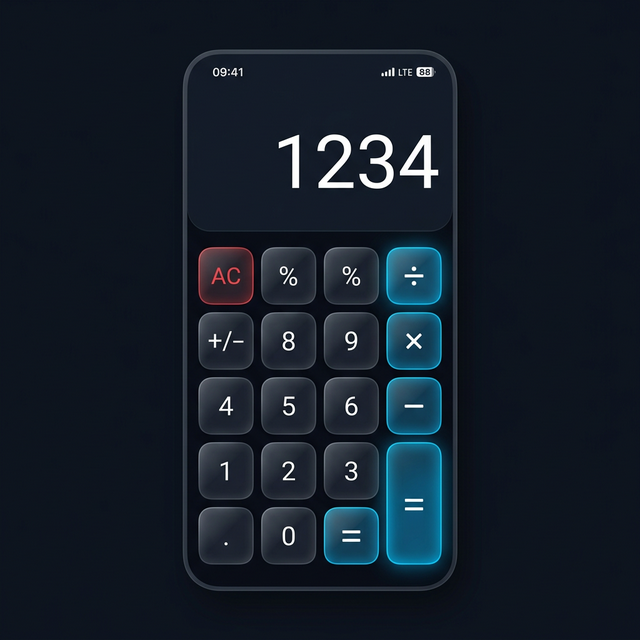
- Open Calculator Hide App and enter your PIN on the calculator keypad, then press ”=”.
- Inside the vault, tap the App Hider section.
- Find Instagram in the list of installed apps. Tap ”+” or “Hide.”
- Instagram is immediately moved into the vault. Exit Calculator Hide App.
- Check your home screen and app drawer — Instagram is no longer visible.
Accessing Instagram from the Vault
Open Calculator Hide App, enter your PIN, go to App Hider, and tap Instagram. It opens instantly and functions identically to how it normally would. When you’re done, close Instagram and exit the vault. It vanishes from recent apps automatically.
Managing Instagram Notifications When Hidden
Hidden apps still receive notifications. Inside Calculator Hide App settings, you can set Instagram notifications to anonymous (shows a generic notification without revealing it’s Instagram), suppressed (no notifications at all), or normal. Most users choose anonymous — you know you have a message without revealing which app it came from.
Hiding Multiple Social Apps Together
You can hide WhatsApp, Instagram, Snapchat, Telegram, and any other apps simultaneously — they all live inside the same vault or you can separate them into different vaults with different PINs. For the full guide on hiding WhatsApp specifically, see how to hide WhatsApp on Android.
Frequently Asked Questions
Will hiding Instagram affect my account?
No. Hiding Instagram on your device has zero effect on your Instagram account, followers, posts, or messages. It only changes the visibility of the app on your phone.
Can I still get Instagram DMs when it’s hidden?
Yes. Instagram runs normally in the background. You can receive and send messages, receive notifications, and use the full app — just from inside the Calculator Hide App vault instead of from the home screen.
Does hiding Instagram use more battery?
No more than Instagram normally would. The app continues to run with the same background activity it always had. Hiding it doesn’t add any battery overhead.