You deleted the photos. You even deleted them from the Recently Deleted album. You felt confident they were gone. Then you handed your phone to a technician for a screen repair, or your phone was confiscated in a dispute, or someone you trusted used a recovery app to see what you had been deleting.
The photos came back.
This is not a rare occurrence. Phone data recovery is a mature field with sophisticated commercial tools, and the uncomfortable truth is that “deleted” does not always mean gone. Whether a photo can be recovered after deletion depends on several factors — your device type, your backup settings, how long ago you deleted it, and whether the storage sectors have been overwritten since.
This article gives you the honest answer, not the reassuring one.
How Deletion Actually Works on a Phone
To understand recovery, you first need to understand what deletion actually does — and does not do.
When you delete a photo on your smartphone, in most cases the operating system does not immediately erase the file’s data from storage. Instead, it marks the storage sectors occupied by that file as available for reuse. The data remains physically present on the storage medium until new data is written to those sectors.
Think of it like removing a book from a library’s catalog without removing the book from the shelf. The book is invisible to the catalog system, but it is still physically there. Anyone who knows to look can find it.
On both Android and iOS, the underlying flash storage operates on this same principle. The deleted file’s data persists until the storage management system actively overwrites those sectors with new data. On a device that is frequently used and filling up, overwriting happens quickly. On a device with substantial free space, deleted data can persist for a surprisingly long time.
This is the fundamental reason photo recovery is possible.
The 30-Day Recently Deleted Album
Both iOS and Android have built-in safety nets that actively preserve photos you “delete.”
On iPhone
When you delete a photo in the iOS Photos app, it moves to a Recently Deleted album where it is stored in full quality for 30 days. During those 30 days, the photo is trivially recoverable — no special tools required. Anyone with access to your Photos app can navigate to Recently Deleted and restore every photo you thought you had deleted.
After 30 days, iOS removes photos from Recently Deleted and marks those storage sectors as available. At this point, the photos are no longer easily accessible but may still be recoverable with the right tools, depending on whether the storage has been overwritten.
On Android
Android’s implementation varies by manufacturer and version, but most modern Android devices running Android 11 or later include a similar Trash feature in the Google Photos app or the native gallery. Deleted photos typically remain in Trash for 30 to 60 days depending on the device and app version.
During this period, recovery is as simple as opening the Trash folder. After the retention period, the process becomes more technically involved — but not necessarily impossible.
The existence of these recovery windows is not hidden. They are features intended to prevent accidental permanent loss. The implication for privacy is that your “deleted” photos have a built-in 30-day period during which they are trivially recoverable by anyone with physical access to your device.
Cloud Backups — The Second Copy You Forgot About
Even after the local retention period expires, your deleted photos may exist in cloud backup systems you set up and promptly forgot about.
iCloud Photos
If you use iCloud Photos, your iPhone automatically uploads every photo in your library to Apple’s servers. When you delete a photo from your device, it also deletes from iCloud — but it goes into the iCloud Recently Deleted album, which retains it for 30 days.
After those 30 days, Apple removes the photo from Recently Deleted. However, if you have iCloud Backup enabled (distinct from iCloud Photos), your entire photo library may be included in periodic device backups. A backup created before you deleted the photos will contain those photos. Anyone with access to your Apple ID credentials can access iCloud Backup through iCloud.com or restore to a device.
Google Photos
Google Photos automatically backs up photos from Android devices and can be installed on iPhones. Google Photos has its own Trash folder that retains deleted photos for 60 days. Additionally, if Google Photos auto-backup was active when the photos existed, those photos are in your Google account’s storage. Deleting from your device does not necessarily delete from Google Photos unless you also specifically delete from the app or account.
Google account access — through compromised credentials, a shared account, or a device still signed into your account — provides access to your entire Google Photos history.
Manufacturer Backups and Carrier Backups
Samsung devices use Samsung Cloud. Huawei devices use Huawei Cloud. Various carriers offer automatic backup services. These systems operate in the background, often enabled by default during device setup, and many users have little ongoing awareness that they are running.
A Samsung Cloud backup, for example, may contain your photos from weeks or months ago. If you deleted something locally and assumed it was gone, it might be sitting in Samsung Cloud on a server you have not thought about since you set up the phone.
Forensic Software — The Professional-Grade Threat
For situations involving more determined adversaries — legal investigations, custody disputes, forensic analysis, or technically sophisticated individuals — dedicated data recovery software exists that operates well beyond what a casual user would attempt.
Cellebrite UFED
Cellebrite UFED (Universal Forensic Extraction Device) is the industry standard for law enforcement digital forensics. It can extract data from locked phones, recover deleted files from device storage, and produce detailed reports of recovered content. Law enforcement agencies worldwide use Cellebrite. It can recover deleted photos that were never backed up to cloud services.
Cellebrite’s capabilities depend on the device, iOS or Android version, and encryption state. Modern iPhones with full-disk encryption present significant obstacles to Cellebrite extraction. Older Android devices with weaker encryption are more vulnerable.
Oxygen Forensic Detective
Oxygen Forensic Detective is another professional-grade forensic tool used by law enforcement and corporate investigators. It includes photo recovery capabilities alongside extraction of messages, call logs, app data, and deleted content. It supports thousands of device models across both major platforms.
DiskDigger Pro for Android
DiskDigger Pro is a commercially available Android app that can scan device storage for recoverable deleted files without the phone being connected to a forensic workstation. It is available in the Play Store. Any user — not just professionals — can download it and attempt recovery of deleted photos from their own device or a device they have physical access to.
DiskDigger is most effective when storage sectors have not been overwritten. Its success rate decreases as more new data is written to the device after deletion. But immediately after deletion, or on a device with significant free storage space, it can recover a substantial portion of deleted photos.
When Recovery Is Most Likely
Recovery probability is highest when: the deletion occurred recently, the device has substantial free storage so overwriting has not occurred, the device has been in low-usage state (airplane mode, powered off) since deletion, and no secure erase operation has been performed.
Recovery probability is lowest when: significant time has passed and the device has been used heavily, secure erase has been performed, the storage sectors have been overwritten multiple times, or the files were encrypted at the storage level before deletion.
What “Secure Delete” Actually Does
Some apps and operating systems offer “secure delete” or “secure erase” features that attempt to overwrite deleted data rather than simply marking it as available. The effectiveness of secure delete on modern flash storage (NAND flash, which smartphones use) is a subject of ongoing debate among security researchers.
Traditional secure delete techniques were developed for magnetic hard drives, where overwriting sectors is straightforward. Flash storage is more complex. NAND flash uses wear-leveling algorithms that distribute writes across the storage medium to extend its lifespan. These algorithms can make it difficult to guarantee that a specific sector has been overwritten, as the controller may redirect writes to different physical locations.
The practical implication is that “secure delete” on a smartphone is not as definitive as it sounds. It reduces recovery likelihood but may not eliminate it entirely on all devices.
The Proactive Solution — Keeping Files Out of the Gallery Entirely
Here is where the conversation shifts from alarming to actionable.
Everything discussed above applies to files that went through your device’s regular gallery. Photos you took with your camera, saved from messages, downloaded from apps — these follow the standard path: gallery, possibly cloud backup, Recently Deleted, then potentially recoverable storage sectors.
If a file never enters that pathway, the entire recovery chain does not apply.
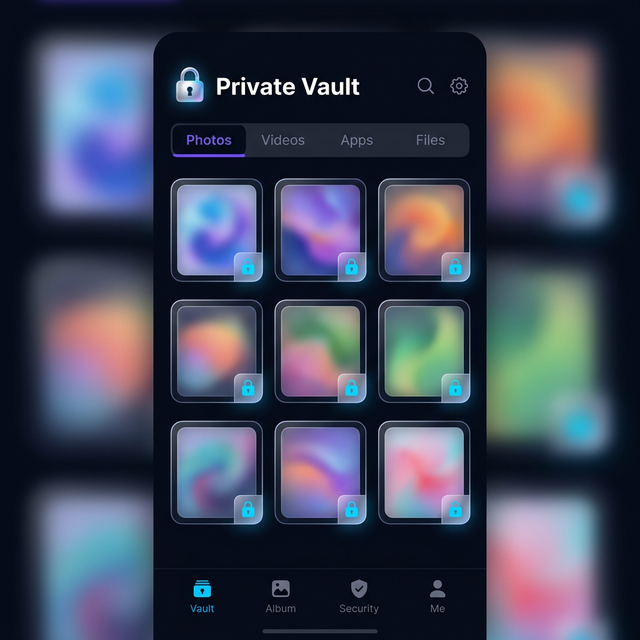
This is the core privacy argument for vault apps. When you import a photo directly into Calculator Hide App’s encrypted vault, or when you capture a photo directly through the vault’s camera feature, that file goes into encrypted vault storage. It is never in your device gallery. It never appears in iCloud Photos or Google Photos auto-backup. It never enters the Recently Deleted album.
There is nothing for forensic software to recover from the gallery because the file was never there.
The vault contains the file in AES-256 encrypted form. Even if a forensic tool extracted the encrypted data from vault storage, it would be unreadable without your decryption key. The file’s content is inaccessible rather than merely hidden.
You can learn more about how this encryption layer works in the article on how AES-256 encryption works. The short version is that AES-256 with a properly derived key is computationally infeasible to brute-force — it is the same encryption standard used for government classified information.
Moving Existing Photos to the Vault
If you have private photos already in your gallery that you want to move to the vault and ensure are not recoverable, the process has two parts.
First, import the photos into Calculator Hide App. The app creates encrypted copies of the files within the vault.
Second, and critically, delete the originals from your gallery and then clear them from Recently Deleted. The fact that vault copies exist does not automatically remove the gallery originals. You need to explicitly delete them.
After deletion, the gallery originals follow the recovery timeline described earlier in this article — they may remain recoverable for some time depending on storage overwriting. For photos that are sensitive enough to require this level of protection, using the vault for all future captures (rather than importing after the fact) is the more airtight approach.
The article on how to hide photos on Android and the companion piece on how to hide photos on iPhone provide platform-specific step-by-step guidance for moving photos from your gallery into the vault securely. If you want to go further and make sure hidden photos are truly erased from your device, see our guide on how to delete hidden photos permanently.
What About Photos Sent to You in Messages?
Photos received in messaging apps — WhatsApp, iMessage, Instagram DMs, Telegram — exist in multiple places simultaneously. They may be saved to your gallery by the messaging app’s auto-save feature. They exist in the messaging app’s own local database. They may be backed up as part of your message backup. They may be stored on the messaging platform’s servers.
Deleting a photo from your gallery does not delete it from the messaging app. Deleting it from the messaging app does not delete it from your gallery if auto-save already copied it. And your message backups may contain the full conversation history including those media files.
For photos in messages that you want to ensure are private, the safest approach is to save them directly to your vault when you receive them rather than allowing them to flow through the standard gallery pathway.
The Cloud Backdoor Problem
One more angle that does not get discussed enough. Your privacy on your local device may be strong, but your cloud account is a different story.
iCloud and Google Photos are accessible via web browser from any device. They are protected by your account password and, if you have it enabled, two-factor authentication. A compromised account password — through phishing, data breach, credential stuffing, or someone who knows your password — provides access to your entire photo library, including photos you thought you had deleted but which are in the cloud’s recovery window.
Two-factor authentication significantly reduces this risk. But if someone has both your account credentials and access to your 2FA device, the cloud is accessible. Moving sensitive photos into an encrypted vault that is not synced to cloud services removes them from this attack surface entirely.
The article on cloud backup vs. local storage explores the tradeoffs between cloud accessibility and the privacy risks that cloud storage introduces.
The Practical Privacy Takeaway
The honest answer to “can someone recover your deleted photos” is: it depends, but yes, under more circumstances than most people realize.
The Recently Deleted album creates a 30-day window of trivial recovery. Cloud backups create an additional recovery window that can extend much longer. Forensic software creates a technical recovery pathway for deleted data that has not yet been overwritten. Professional tools used by law enforcement have capabilities beyond what most users imagine.
The reliable way to ensure photos cannot be recovered is not to rely on the delete function of your gallery app. It is to keep sensitive photos in an encrypted vault where they are never entered into the standard storage and recovery pipeline in the first place.
Deletion is reactive. Vault storage is proactive. The difference in recovery risk is fundamental.
Calculator Hide App’s encrypted vault is specifically designed to serve as this proactive layer. Files that go into the vault via the features described on the app’s security page stay encrypted and isolated from the gallery pathway entirely.
Frequently Asked Questions
How long do deleted photos remain recoverable on an iPhone?
In the iOS Photos app, deleted photos are visible in Recently Deleted for 30 days and trivially recoverable during that period. After 30 days, iOS clears them from Recently Deleted and marks storage as available. With forensic tools, recovery may be possible for weeks or months after deletion depending on how much new data has been written to the device. iCloud backups and iCloud Photos may retain copies independently of the local device state.
Can the police recover deleted photos from my phone?
Law enforcement with appropriate legal authority and access to tools like Cellebrite UFED can extract deleted data from smartphones. The success of this extraction depends on the device model, OS version, encryption state, and how long ago the data was deleted. Modern iPhones with strong encryption present significant challenges. Older or less secure devices are more vulnerable. The general answer is: with sufficient resources and the right conditions, yes.
Does deleting photos from Google Photos actually delete them?
Photos deleted from Google Photos go into a Trash folder where they are retained for 60 days. During that period, they are fully recoverable from within the app. After 60 days, Google removes them from Trash. If Google Photos auto-backup captured the photos before deletion, they exist in your account history. Access to your Google account provides access to your Google Photos library and its recovery window.
What is DiskDigger Pro and how does it work?
DiskDigger Pro is a commercially available Android application that scans device storage — including areas marked as available after deletion — for recoverable file data. It does not require rooting in basic operation and can recover photos that have been deleted but whose storage sectors have not yet been overwritten. It is available to any user, not just forensic professionals. Its effectiveness decreases as more new data is written to the device after deletion.
Does a factory reset permanently delete photos?
A factory reset returns a device to default settings and removes user data, but its effectiveness as a permanent deletion method is debated. On many Android devices, factory reset does not perform cryptographic erasure of storage — it may simply unlink data from the OS rather than overwriting it. On devices with hardware encryption enabled, factory reset plus key deletion creates a situation where the encrypted data on the device is no longer decryptable, which is effectively permanent deletion. iOS factory reset on modern encrypted devices is generally more reliable as a permanent erasure method. For the full picture on what happens to your vault’s hidden photos specifically when you perform a factory reset, read our guide on factory resets and hidden photos.
If I put photos in Calculator Hide App, can they be recovered by forensic tools?
Photos inside Calculator Hide App’s vault are stored in AES-256 encrypted form. Even if forensic tools extract the raw encrypted data from the vault’s storage area, they cannot read the content without the decryption key, which is derived from your PIN. The encrypted data is computationally infeasible to decrypt by brute force. Photos that go directly into the vault and are never stored in the device gallery do not create gallery artifacts for forensic tools to find.
What about WhatsApp or iMessage photos — where do they actually live?
Photos received in messaging apps exist in multiple places: the messaging app’s own local storage database, your device gallery if auto-save is enabled, the app’s own backup system (WhatsApp backups to iCloud or Google Drive), and potentially the messaging platform’s servers. Deleting from the gallery does not delete from the messaging app. For comprehensive privacy around received photos, disable auto-save in messaging apps and save sensitive photos directly to your vault instead of the gallery.
Can someone recover photos from a phone that was in water or otherwise damaged?
Physical damage to a phone creates complications but does not make recovery impossible. Professional data recovery services can extract flash storage chips from damaged devices and read them directly. This requires physical disassembly and specialized equipment, but it is a real service that exists commercially. Encrypted storage reduces the value of any physically extracted data, since the extracted bits are unreadable without the decryption key.
Is there a way to permanently delete photos from my phone?
The most reliable approach for truly permanent deletion is encryption plus deletion. If your device storage is fully encrypted (which modern iPhones and recent Android devices default to), then deleting files plus clearing them from recovery folders creates a situation where the data on storage is encrypted noise — technically present but not meaningful without the key. For photos that are sensitive enough to require this treatment, vault storage from the start is a more practical workflow than encrypt-delete-hope.
How is storing photos in a vault different from just moving them to a private folder?
A private folder on your device is typically just a folder with a “hidden” attribute or accessed through a password-protected file manager. The files themselves are usually not encrypted — they exist in standard storage accessible to the OS, backup systems, and forensic tools. A vault app using AES-256 encryption stores files in an encrypted container that cannot be read without the decryption key. The difference is between obscurity (private folder) and actual cryptographic security (encrypted vault).
The delete button does less than you think. The only genuinely reliable way to keep photos private is to keep them in an encrypted vault where they never enter the gallery pipeline to begin with. Download Calculator Hide App and protect your private photos before deletion becomes a question you need to ask.