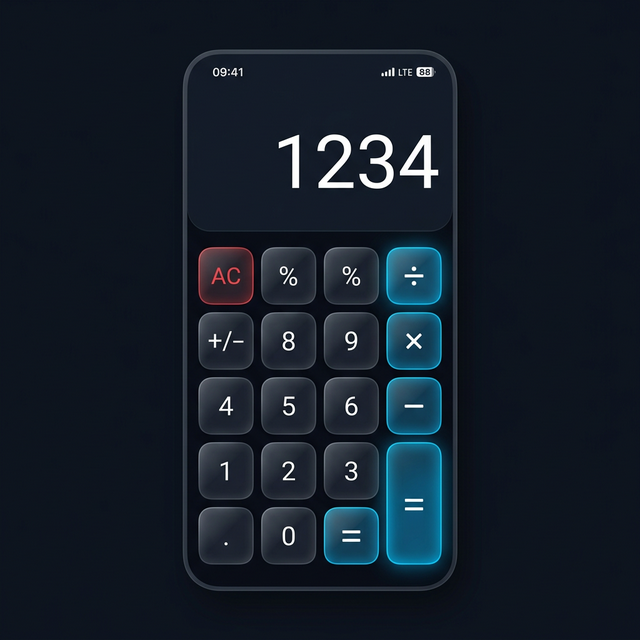
If you have a Samsung Galaxy device, you already have Samsung Secure Folder built in. It’s convenient and comes from a trusted manufacturer. But is it the best option for keeping your photos and apps private? Here’s how it compares to Calculator Hide App.
What Samsung Secure Folder Does
Samsung Secure Folder is a Knox-powered encrypted space on Galaxy devices. It creates a separate environment on your phone where apps, photos, and files are isolated from the rest of the device. Access requires your Samsung account PIN, pattern, password, or biometric. The folder icon is visible on your home screen and app drawer.
What Calculator Hide App Does
Calculator Hide App is a dedicated privacy vault that disguises itself as a working calculator. It encrypts files with AES-256 encryption, hides apps from your home screen and app drawer, and provides a completely invisible interface — no obvious “private folder” visible on your device. Access requires a PIN entered on the calculator keypad.
Key Differences
Visibility
Samsung Secure Folder has a visible icon on your home screen. Anyone who sees your phone knows a private space exists — they just can’t get into it. Calculator Hide App is invisible. Nobody knows a vault exists unless they already know about the app.
Disguise
Calculator Hide App looks exactly like a working calculator. Samsung Secure Folder has its own distinct icon that is immediately recognisable as a privacy folder.
App Hiding
Both allow you to run apps inside a private space. Samsung Secure Folder creates independent copies of apps. Calculator Hide App hides the existing apps from your home screen and app drawer rather than duplicating them.
Samsung Account Dependency
Samsung Secure Folder is tied to your Samsung account. If you lose access to your Samsung account, you lose access to Secure Folder. Calculator Hide App works independently of any account — your access depends only on your PIN and optional recovery email.
Availability
Samsung Secure Folder is only available on Samsung Galaxy devices. Calculator Hide App works on any Android device regardless of manufacturer.
Which Should You Choose?
Choose Samsung Secure Folder if you have a Galaxy device, want a fully integrated solution, and are comfortable with the visible folder icon. The Knox security is excellent and the integration with Samsung’s ecosystem is seamless.
Choose Calculator Hide App if discretion is your priority — if the vault being invisible and undetectable matters more than manufacturer integration. Calculator Hide App also works across all Android devices, not just Samsung.
Many users with Samsung devices use both: Secure Folder for work documents and apps they need quick access to, and Calculator Hide App for photos and content they want to keep completely invisible.
Frequently Asked Questions
Is Samsung Secure Folder more secure than Calculator Hide App?
Samsung Secure Folder uses Knox — Samsung’s hardware-level security platform — which is extremely robust. Calculator Hide App uses AES-256 software encryption. Both are secure for practical purposes. Knox has the edge in hardware-level attack resistance; Calculator Hide App has the edge in plausible deniability.
Can I use both on the same Samsung device?
Yes. Many Samsung users do exactly this. They serve different use cases and don’t conflict.