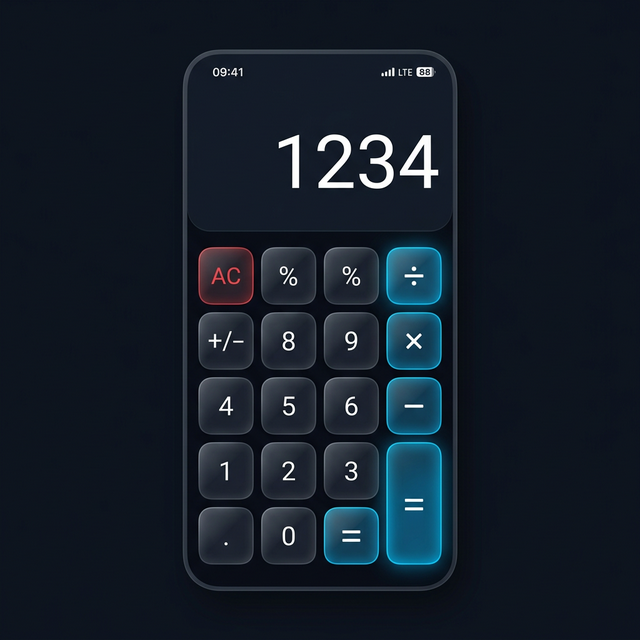
Two people download a vault app for the same reason — they want their private photos to stay private. One person downloads Keepsafe. The other downloads Calculator Hide App. Six months later, one of them has a problem.
The person using Keepsafe has a Keepsafe icon on their home screen. Their partner notices it, searches “Keepsafe app” online, and immediately understands what it is. A conversation happens that the Keepsafe user was not prepared for. The partner demands to see what is inside. The vault is technically locked, but the conversation is already happening, and the social pressure to open it is enormous.
The person using Calculator Hide App has a calculator icon on their home screen. No conversation ever happens. Nobody asks about the calculator.
This is not a manufactured scenario. It happens regularly in the kinds of situations that lead people to use vault apps in the first place — complicated relationships, shared households, environments where privacy is contested. The technical security of both apps may be excellent. But one of them eliminates the target entirely, and that is the real competitive difference between these two apps.
This comparison covers both products honestly. Keepsafe is a serious, well-built app with genuine strengths. We will acknowledge them directly. We will also explain clearly why certain architectural differences matter more than interface polish.
Overview of Both Apps
Keepsafe Photo Vault
Keepsafe has been available since 2011 and has become one of the most recognized brands in the personal vault app space. The app focuses specifically on photo and video storage with a polished, album-based interface. You create a Keepsafe account, set a PIN, and import photos into your vault. The interface resembles a well-designed photo gallery with a security layer on top.
Keepsafe has put real resources into its cloud infrastructure and has maintained active development over many years. Its premium tier offers additional storage, backup features, and album organization tools. The brand is well-established and the product has a track record.
Calculator Hide App
Calculator Hide App is built around a fundamentally different premise: that the best vault is one that nobody knows exists. The app is a fully functional calculator that performs real arithmetic. The vault is accessed by entering a specific PIN sequence through the calculator interface. To everyone else, it is a calculator.
Beyond the disguise, Calculator Hide App offers AES-256 encryption, decoy vault capability, intruder selfie detection, a private browser, app hiding and cloning, and encrypted cloud backup — a broader feature set than most vault apps offer.
How Does Disguise Capability Compare?
This is the most important dimension in this comparison, and it is where the apps diverge most sharply.
Keepsafe’s Visibility Problem
Keepsafe uses its own recognizable icon and branding. The app is one of the most downloaded vault apps globally, which means it is widely recognized. The icon — a blue shield — is associated with Keepsafe in the same way that a green speech bubble is associated with WhatsApp. Anyone who has spent time in the vault app space will recognize it immediately.
This creates a specific problem. The vault may be locked. But the existence of the vault is announced the moment someone sees your app screen. The conversation about what is inside it begins before any authentication is attempted.
Keepsafe does offer the ability to hide the app icon from your home screen on some Android devices. But the app remains visible in your installed apps list, and the hiding mechanism is a user-enabled setting, not a core architectural feature.
Calculator Hide App’s Architecture
Calculator Hide App is not a vault app with a disguise layer. It is a calculator app that contains a vault. The distinction matters. The calculator functionality is genuine — it performs all standard arithmetic operations correctly. If you hand your phone to someone and they open the calculator to do math, it works as a calculator. Nothing reveals a vault exists.
The vault entry point is a specific PIN sequence entered through the calculator buttons. There is no “vault” button, no secondary menu, no indication that anything other than a calculator is present.
When someone scrolls through your installed apps, they see a calculator app. When they ask about what apps you have, there is no vault app to explain. This is stealth architecture, not stealth mode — the disguise is structural, not a toggle you can turn on.
For more on how this kind of disguise works in practice, read our post on what a vault app actually is and the different approaches they take.
Winner: Calculator Hide App by a wide margin on this dimension.
How Does Encryption Compare?
Both apps use strong encryption, and both deserve credit for taking this seriously.
Keepsafe Encryption
Keepsafe uses AES-256 encryption for photos stored in your vault. Their cloud infrastructure stores encrypted data. Keepsafe has been transparent about their encryption implementation in their documentation. For a vault app with cloud sync, their security architecture is sound.
Calculator Hide App Encryption
Calculator Hide App also uses AES-256 encryption for all vault files. The encryption key is derived from your personal PIN and is never stored in a retrievable form on the device or in the cloud. Files in the vault are unreadable without the decryption key.
The meaningful distinction is the independence of credentials. Calculator Hide App’s vault is encrypted with your specific vault PIN — a credential entirely separate from your device unlock credentials. The vault stays protected even when your phone is unlocked. This is the correct implementation for personal security: how AES-256 encryption works at the credential level, not just the device level.
Winner: Essentially tied on encryption standard. Both use AES-256. Calculator Hide App has an edge on credential independence from device unlock state.
How Does Biometric Authentication Compare?
Keepsafe Biometrics
Keepsafe supports fingerprint authentication and Face ID on supported devices. You can access your vault using biometrics instead of typing your PIN each time. This is a genuine convenience feature, and Keepsafe’s implementation is smooth and reliable.
Calculator Hide App Biometrics
Calculator Hide App also supports fingerprint and Face ID authentication. The biometric authentication integrates with the vault access flow — you can open the vault with a fingerprint or face scan after initial setup, without typing your PIN each time.
Both apps implement biometrics as an alternative to PIN entry for convenience, while maintaining PIN as the underlying credential for encryption. Neither app compromises security in how biometrics are implemented.
The interesting angle: for Calculator Hide App, biometric access still goes through an interface that looks like a calculator utility. For Keepsafe, biometric access opens an obviously-vault-branded interface. The experience of unlocking is different in terms of what it reveals to an observer.
Winner: Tie on functionality. Calculator Hide App maintains the disguise context during biometric access.
How Does Intruder Detection Compare?
Keepsafe Intruder Detection
Keepsafe does not offer an automatic intruder selfie feature. There is no mechanism to capture a photo and log a failed access attempt automatically.
Calculator Hide App Intruder Detection
When someone enters an incorrect PIN while attempting to access the Calculator Hide App vault, the app automatically activates the front camera, captures a silent selfie, and stores it with a timestamp. You can review these photos at any time from within your vault.
This is a significant capability gap. The intruder selfie feature provides an audit trail of who has been attempting to access your private content. It creates a deterrent effect — if someone knows (or suspects) that failed attempts are photographed, they are less likely to attempt it. And if they do attempt it, you have evidence. Read the full breakdown of how the intruder selfie feature works.
Winner: Calculator Hide App. Keepsafe has no equivalent feature.
How Does Decoy Vault Compare?
This feature comparison is similarly one-sided.
Keepsafe Decoy Vault
Keepsafe does not offer a decoy vault feature.
Calculator Hide App Decoy Vault
Calculator Hide App lets you set a secondary PIN that opens a separate vault containing content you choose — innocent photos, generic files, whatever makes sense for your situation. When someone pressures you to open your vault, you enter the decoy PIN. They see innocent content and assume that is everything. Your real vault remains completely inaccessible and its existence is never revealed.
This feature is particularly important for anyone in a situation where social coercion is a real risk. A locked app can be pressured open. A vault that appears to show everything innocent has nothing left to pressure. The full setup guide for configuring your decoy vault walks through the process in detail.
Winner: Calculator Hide App. Keepsafe has no equivalent.
How Does Private Browser Compare?
Keepsafe Private Browser
Keepsafe does not include a private browser.
Calculator Hide App Private Browser
Calculator Hide App includes a built-in private browser. Browsing done within this browser leaves no history in your phone’s main browser (Chrome, Safari, Firefox, or whichever you use). The browser session is contained within the encrypted vault environment. URLs, search terms, and site visits are not logged in any accessible location outside the vault.
This matters because browsing history is one of the most common vectors for privacy violations in relationships. Someone checking your Chrome history can see research you did, sites you visited, purchases you considered. The private browser eliminates that exposure for browsing you want to keep confidential. For more on this topic, read our comparison of private browser vs incognito mode — they work very differently.
Winner: Calculator Hide App. Keepsafe has no browser functionality.
How Does Pricing Compare?
Keepsafe Pricing
Keepsafe offers a free tier with basic functionality and limited storage. The premium tier (Keepsafe Premium) adds unlimited storage, additional album organization features, and advanced cloud sync. Premium is available as a monthly or annual subscription. The annual rate makes the per-month cost more reasonable.
Keepsafe’s premium pricing is positioned in the mid-range for subscription apps. The cloud storage and sync capabilities included in premium add genuine value, particularly for users with large photo collections.
Calculator Hide App Pricing
Calculator Hide App offers a free version that covers core vault functionality. Premium upgrades unlock cloud backup, additional storage, and advanced features. The pricing structure is competitive with Keepsafe’s premium tier.
The meaningful comparison: Keepsafe’s premium value is primarily in its polished interface and cloud sync. Calculator Hide App’s premium value includes cloud backup plus features Keepsafe does not offer at any price — decoy vault, intruder detection, private browser. In terms of features per dollar, Calculator Hide App’s premium offers more breadth.
Winner: Depends on priorities. Keepsafe’s cloud sync is well-executed. Calculator Hide App offers more total features at a comparable price point.
How Does Platform Support Compare?
Keepsafe Platforms
Keepsafe is available on both Android and iOS. The apps are well-maintained on both platforms and perform consistently. Cross-platform sync works when you use the same Keepsafe account on multiple devices.
Calculator Hide App Platforms
Calculator Hide App is available on both Android and iOS. The experience is consistent across platforms, and the vault can sync between devices when cloud backup is enabled. Both platforms receive regular updates.
Winner: Tie. Both apps cover Android and iOS with active development.
Who Should Choose Keepsafe?
Keepsafe is the better choice if you want a polished, photo-gallery-focused interface and you are not particularly concerned about someone who knows the vault app space identifying your app by its icon. If your privacy needs are about keeping photos away from people who do not look specifically for vault apps, and if cloud sync and an intuitive album interface are high priorities, Keepsafe delivers a quality experience.
Keepsafe is also a reasonable choice if you are already deeply embedded in its ecosystem — have years of organized albums, rely on its cloud sync — and the cost of switching outweighs the security benefits of a disguised alternative.
Who Should Choose Calculator Hide App?
Calculator Hide App is the better choice if your threat model includes anyone who knows what vault apps look like, if you need the ability to show innocent content under pressure, if you want evidence of access attempts, if you want a private browser integrated into your vault, or if you want the full spectrum of privacy features in a single app.
More broadly: if the existence of a vault on your phone is itself a problem — not just the contents — then Calculator Hide App is the only architecture that addresses that.
You can also verify that the app is safe and well-designed by reading our detailed breakdown of whether Calculator Hide App is safe to use. For users who have run into problems with the app, see the troubleshooting guide on what to do when Calculator Hide App is not working.
The Core Architectural Argument
Here is the thing that most comparison articles will not say directly: Keepsafe and Calculator Hide App are solving slightly different problems.
Keepsafe assumes you are the person who decides who gets access to your phone. Your vault is locked. If someone asks to see your phone, you can decline or unlock it on your terms. The lock protects your content. The app’s visibility is acceptable because you control access.
Calculator Hide App assumes you may not always be in control. Someone may have your device PIN. Someone may already have your unlocked phone in their hands. Someone may be applying social pressure. In those scenarios, a lock is not enough. You need a situation where the target does not exist at all.
Most people underestimate how often they are in the second scenario rather than the first. The phone gets handed over. The PIN gets seen. The device is left unlocked. The dynamics of relationships and households create constant partial-access situations that a locked-but-visible vault does not fully address.
The stealth architecture wins for anyone who has ever been in one of those partial-access situations. And that is most people who use vault apps.
Side-by-Side Summary
| Feature | Calculator Hide App | Keepsafe |
|---|---|---|
| Disguise (calculator) | Yes | No |
| Encryption | AES-256 | AES-256 |
| Biometric auth | Yes | Yes |
| Decoy vault | Yes | No |
| Intruder selfie | Yes | No |
| Private browser | Yes | No |
| App hiding/cloning | Yes | No |
| Cloud backup | Yes | Yes |
| Cross-platform | Android + iOS | Android + iOS |
| Free tier | Yes | Yes |
Frequently Asked Questions
Is Keepsafe actually secure?
Yes. Keepsafe uses real AES-256 encryption and has a solid track record. The security question with Keepsafe is not about whether it encrypts your files correctly — it does. The question is whether a visible, recognizable vault icon adequately addresses the scenarios most vault users face. For the technical security of the files themselves, Keepsafe is trustworthy.
Can I use both apps at the same time?
Yes, and some people do this intentionally. They keep Keepsafe with innocent photos as a visible “decoy” — if someone sees it and asks, they show Keepsafe’s innocent content. Their genuinely private content lives in Calculator Hide App, which nobody suspects is a vault. This layered approach is actually one of the most effective privacy setups available.
Does Keepsafe have a decoy vault in newer versions?
As of early 2026, Keepsafe does not offer a decoy vault or secondary PIN feature. This has been a requested feature for years in Keepsafe’s user community, but it has not been implemented. The decoy vault remains a Calculator Hide App-specific feature in the direct Keepsafe comparison.
Which app is better for large video files?
Both apps support video storage. For large files, the relevant comparison is storage limits and cloud backup performance. Keepsafe’s premium cloud sync is well-optimized for larger files. Calculator Hide App’s cloud backup also handles video, though performance depends on your network connection. If you are storing hours of video content, both premium tiers will serve you better than the free versions.
Is Calculator Hide App legitimate and well-maintained?
Yes. Calculator Hide App is a legitimate privacy application with active development and regular updates. You can read the detailed analysis on whether Calculator Hide App is safe for a full breakdown of its security architecture and development history. If you ever need support, the help center and contact page are available.
What if I forget my PIN for either app?
Both apps offer account-based password recovery. Calculator Hide App has a dedicated password recovery process through registered email. Keepsafe also offers account-based recovery. The important step for both apps is registering a recovery email before you store important content — without it, you may be permanently locked out.
Does switching from Keepsafe to Calculator Hide App require reinstalling everything?
Switching requires exporting your photos from Keepsafe (to your device gallery or local storage) and then importing them into Calculator Hide App. This is a manual process. For large libraries, it takes time. The practical approach is to start using Calculator Hide App for new private content immediately, and migrate Keepsafe content gradually. Confirm each batch transfers correctly before deleting the source. Once you are set up, our step-by-step guide on how to set up Calculator Hide App walks you through initial configuration from scratch.
Does Calculator Hide App have as good a cloud sync as Keepsafe?
Keepsafe has invested heavily in its cloud infrastructure over many years, and its sync is reliable and polished. Calculator Hide App’s cloud backup covers the essential use case — encrypted backup and restore across devices. For users who need seamless, automatic multi-device sync as the primary use case, Keepsafe has a slight polish advantage. For users where cloud backup is primarily a safety net for device loss rather than active multi-device sync, Calculator Hide App’s implementation is fully adequate.
Keepsafe is a good app. We mean that. For certain use cases, it is an entirely reasonable choice. But “good vault app” and “best tool for your privacy situation” are not always the same thing. If the existence of a vault on your phone is a problem, not just its contents, Keepsafe cannot solve that problem. Only a vault that looks like something else can.
Download Calculator Hide App and see what it looks like when the vault itself is invisible.