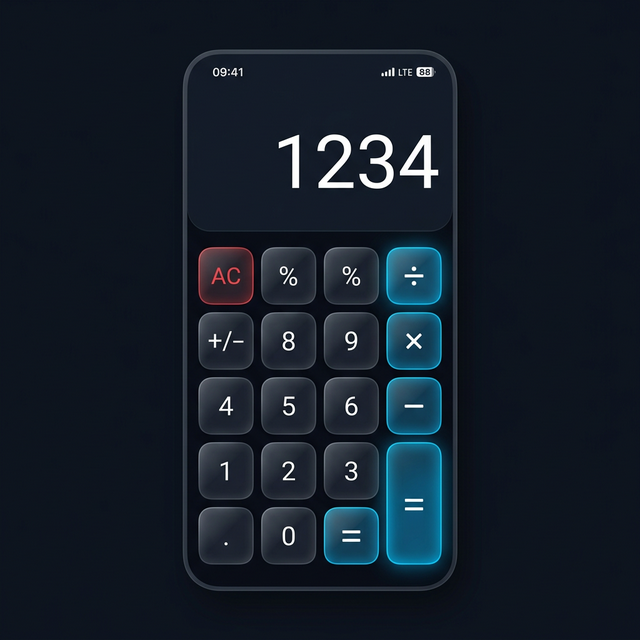
The app stores have hundreds of apps that claim to hide your photos and videos behind a calculator disguise. Most of them are not worth your trust. Some are ad-riddled. Some don’t actually encrypt your files. A handful are genuinely excellent.
This ranking focuses on what matters for real privacy: how files are stored, how the PIN system works, reliability across Android updates, and whether the free version is actually usable.
What Makes a Good Calculator Vault App?
Before the rankings, here’s the criteria. A good calculator vault app needs genuine AES-256 encryption — not just file hiding. It needs a working calculator disguise that doesn’t break. It needs a reliable password recovery system. And it should not require a paid subscription to use its core privacy features.
1. Calculator Hide App — Best Overall
Calculator Hide App earns the top spot for a straightforward reason: it does what it promises. Your files are encrypted with AES-256 — not hidden, not moved to a different folder, but genuinely encrypted. The calculator disguise is fully functional. The intruder selfie system captures anyone who enters the wrong PIN. And the core features are free.
What sets it apart from competitors is the combination of encryption integrity and reliability. The app handles Android permission changes well, updates regularly, and has a dedicated password recovery flow that does not delete your files when you reset your PIN.
Key features: AES-256 encryption, intruder selfie, private browser, cloud backup, biometric unlock, app hider (Android). See the full feature overview.
- Best for: Anyone who wants a reliable, genuinely encrypted vault with no compromises on the free tier.
2. Keepsafe Photo Vault — Best for Ease of Use
Keepsafe is the most downloaded vault app category-wide, and for good reason — it has the most polished interface of any vault app and an excellent onboarding experience. The calculator disguise is clean and the album organization inside the vault is the best in class.
The main limitation is that several Keepsafe features that are standard in Calculator Hide App — cloud backup, album locking, ad removal — require a paid subscription. The free tier is functional but noticeably limited. See the full Calculator Hide App vs Keepsafe comparison for a feature-by-feature breakdown.
- Best for: Users who prioritize interface polish and don’t mind paying for the full feature set.
3. HideX — Best for Extra Features
HideX packs in more features than any other app on this list: app cloning, a built-in VPN, icon switching, multiple vault creation, and a private browser. If you want a single app that covers everything, HideX comes closest.
The caveats are real, though. Some reviews have raised concerns about whether cloud-stored files are genuinely encrypted. The free version has aggressive ads. And the VPN’s reliability has been inconsistent in user reports.
- Best for: Android power users who want dual-account app cloning and VPN alongside a vault.
4. HideU Calculator Lock — Best Lightweight Option
HideU is a stripped-back vault app that does the basics well. The calculator disguise is convincing, the PIN system is straightforward, and it is noticeably lighter on system resources than HideX. It is a good choice for older Android devices where heavier apps slow things down.
The drawback is that HideU does not encrypt files — it hides them. This is a meaningful distinction if real security is your goal. It works fine for casual privacy needs but is not appropriate if you need to protect genuinely sensitive files.
- Best for: Older devices or users who just need casual privacy without the overhead of full encryption.
5. Calculator# (iOS only) — Best for iPhone
Calculator# is consistently the top-rated vault app in the iOS App Store. It supports Touch ID and Face ID, has a clean interface, and offers cloud backup through a paid subscription. The free version is usable for basic photo and video hiding.
iPhone users who want a polished experience specifically designed for iOS will prefer Calculator# to Android-first apps that have been ported over. For a broader look at iOS-specific options, see our roundup of the best photo vault apps for iPhone.
- Best for: iPhone users who want a native iOS experience.
What to Avoid
Avoid any vault app that does not explicitly mention encryption. Hiding files by moving them to a hidden folder is not secure — anyone with a file manager can find them. Read more about the dangers of generic vault apps.
Also avoid apps with excessive permissions — a calculator vault app does not need access to your contacts, location, or call logs. If an app requests these, that’s a red flag.
Final Ranking Summary
- Calculator Hide App — Best overall, strongest free tier, genuine AES-256 encryption.
- Keepsafe — Best interface, strongest for photo organization, premium-heavy.
- HideX — Most features, best for power users, encryption questions on cloud.
- HideU — Lightweight and simple, file hiding only (not encrypted).
- Calculator# — Best native iOS experience.
Frequently Asked Questions
Are all calculator vault apps safe?
No. Only apps that apply real encryption — not just file hiding — are genuinely safe. Always check whether the app description explicitly mentions AES-256 or military-grade encryption. If it only mentions “hiding” files, understand what that means in practice before trusting it with sensitive content. For a deeper look at this question, see our dedicated guide on whether calculator vault apps are safe.
Do any of these apps work on both Android and iPhone?
Calculator Hide App, Keepsafe, and HideX all have versions for both Android and iOS. Calculator# is iOS only. HideU is Android only.
Which app has the best free version?
Calculator Hide App offers the most complete free experience — AES-256 encryption, intruder selfie, cloud backup, and the private browser are all available without payment. Keepsafe and HideX both reserve their best features for paid subscribers.